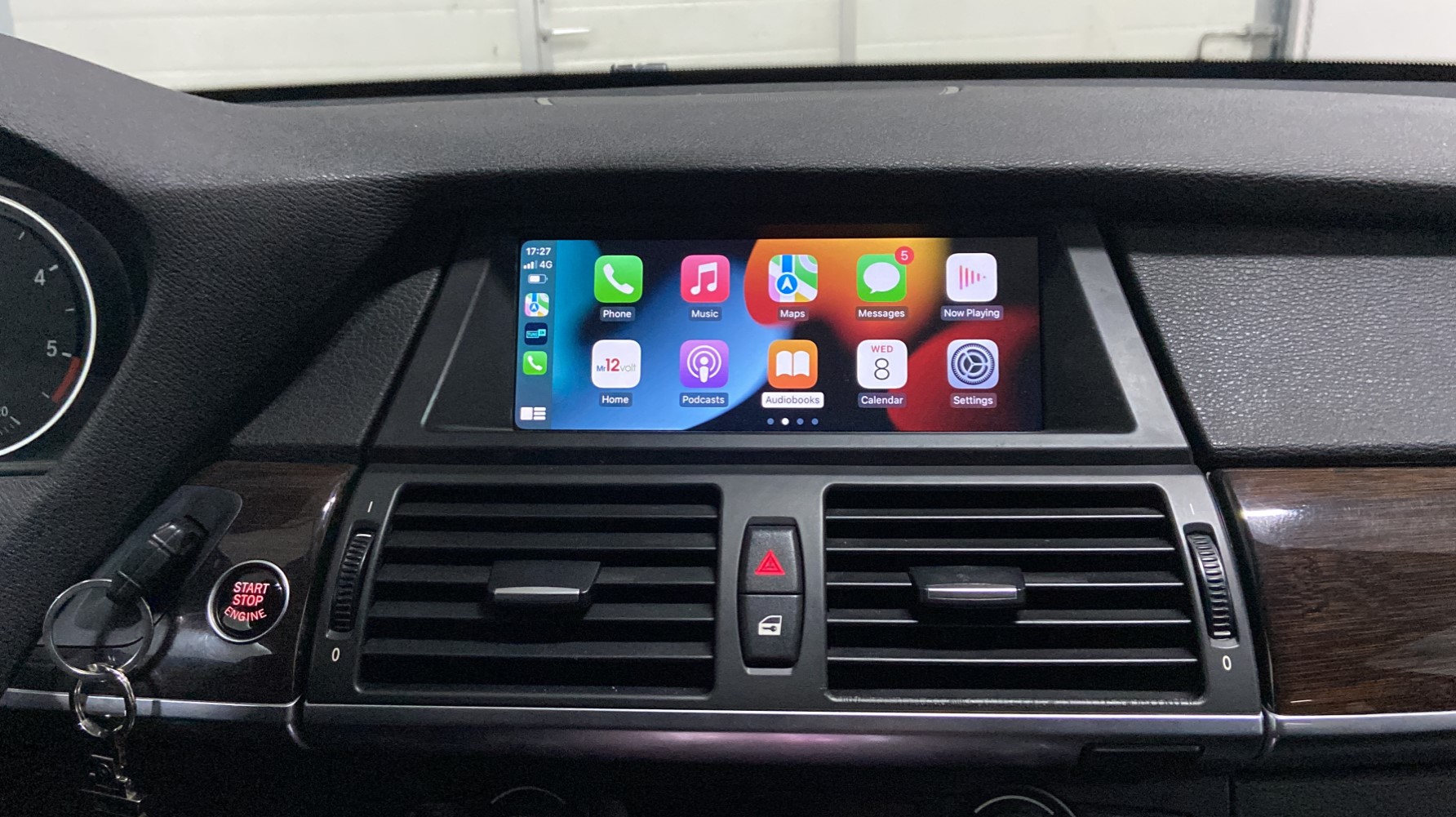
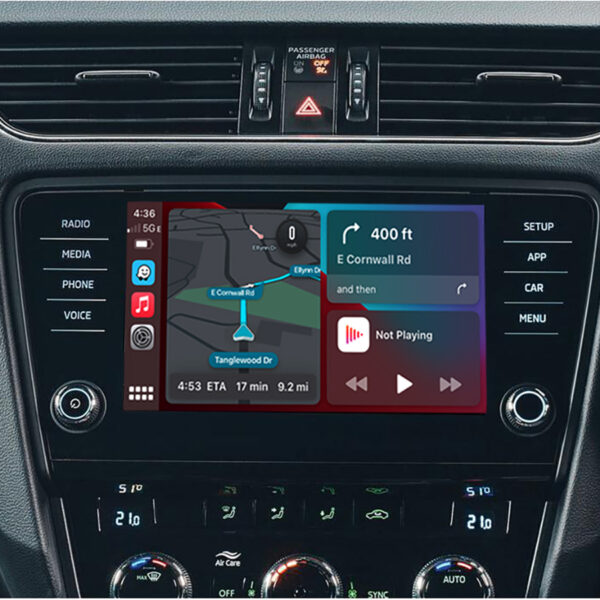
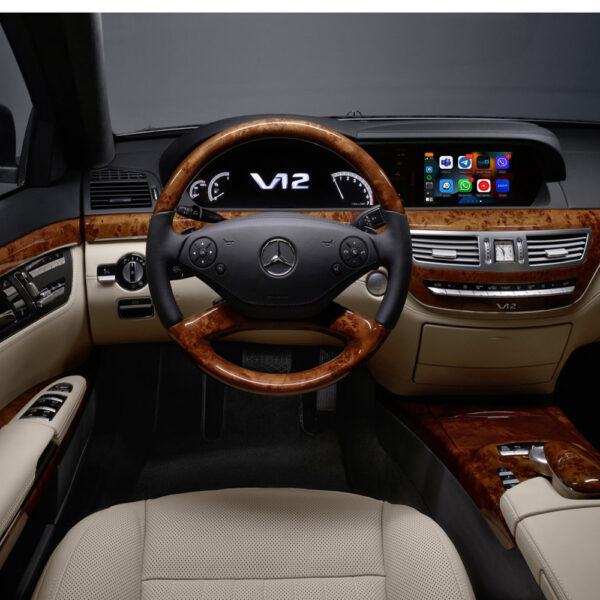
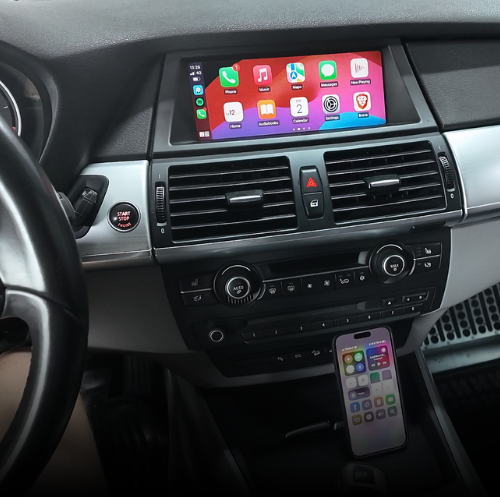
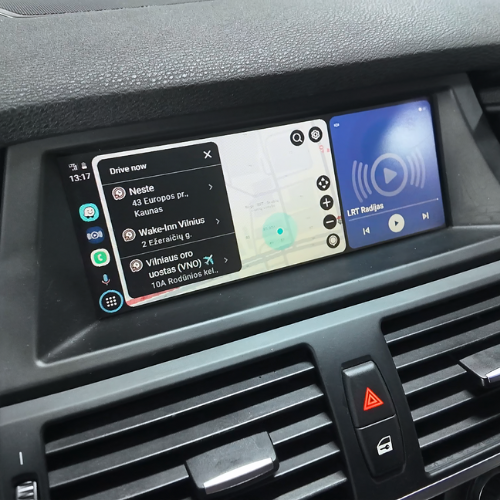
The Carplay MMi add-on allows you to use Apple CarPlay, Android Auto, Screen mirror and AirPlay functions on the original screen: Google maps, Waze, Sygic Navigation, Apple Maps, Spotify, Apple Music, Whats app, Deezer, Podcasts, to name but a few – all of which can be accessed on the original multimedia screen!
The module has the functionality to use your car’s original Bluetooth channel, this way maintaining good sound quality compared to the AUX audio channel. It is also possible to use your car’s original Bluetooth phone function via Apple Carplay / Android Auto.
If your car has an NBT EVO system and a touchscreen, module will only allow you to control Android Auto with the iDrive knob.
Stock status: In stock Show detailed variation stock
Variation
Stock
iDrive CCC 2007-2009
4
iDrive CIC 2009-2014
2
iDrive NBT : 03/2013 – 03/2015
3
iDrive NBT EVO ID5 ID6 : 06/2016 – 03/2019
3
Item stock >1 will be delivered in 1-2 working days! Item stock <1 will be delivered in 7-11 working days World Wide!
We can install all products in our workshop. Contact us.
Description
Additional information
Reviews (2)
Worldwide Delivery
Fast and tracked
Installation
Available in Lithuania
Easy Returns
Free within 30 days
Secure Payments
Cash, Card or Bank Wire
2-Year Warranty
Genuine EU warranty
Free Consultation
By phone and email
Integration module for the original BMW iDrive multimedia system
BMW Wireless Apple CarPlay and Android Auto Integration for the Original Multimedia System
Add wireless Apple CarPlay and Android Auto while retaining the original BMW screen, iDrive controller, steering-wheel buttons and factory dashboard appearance.
Navigation, music, calls, messages and compatible apps appear directly on the original display. The module also supports Screen Mirroring, AirPlay, USB media playback, audio equaliser settings and optional camera connections.
Four product versions cover compatible BMW CCC, CIC, NBT / NBT ID4 and NBT EVO ID5 / ID6 systems. Select the version that matches the multimedia system installed in the vehicle.
✓
Compatible BMW iDrive Multimedia Systems
iDrive CCCApprox. 2003–2009
iDrive CICApprox. 2008–2015
NBT / NBT ID4Approx. 2012–2017
NBT EVO ID5 / ID6Approx. 2015–2022
Choose the Correct BMW iDrive Version
The installed multimedia generation must match the selected module. The dates below identify the system ranges used by this product; BMW changed systems at different times by model, so the original menu and controller layout take priority over registration year.
iDrive CCC
Original CCC system required
1 Series E81 / E82 / E87 / E88 — 06/2004–09/2008
3 Series E90 / E91 / E92 / E93 — 03/2005–09/2008
5 Series E60 / E61 — 12/2003–11/2008
6 Series E63 / E64 — 12/2003–11/2008
X5 E70 — 03/2007–10/2009
X6 E71 — 05/2008–10/2009
iDrive CIC
Original CIC system required
1 Series E81 / E82 / E87 / E88 — 09/2008–03/2014
1 Series F20 / F21 — 09/2011–03/2013
3 Series E90 / E91 / E92 / E93 — 09/2008–10/2013
3 Series F30 / F31 / F34 / F80 — 02/2012–11/2012
5 Series E60 / E61 — 11/2008–05/2010
5 Series F07 — 10/2009–07/2012
5 Series F10 / F11 — 03/2010–09/2012
6 Series E63 / E64 — 11/2008–07/2010
6 Series F06 / F12 / F13 — 12/2010–03/2013
7 Series F01 / F02 / F03 / F04 — 11/2008–07/2013
X1 E84 — 10/2009–06/2015
X3 F25 — 10/2010–04/2013
X5 E70 — 10/2009–06/2013
X6 E71 — 10/2009–08/2014
Z4 E89 — 04/2009–08/2016
iDrive NBT / NBT ID4
Original NBT or NBT ID4 system required
1 Series F20 / F21 — 03/2013–03/2015
2 Series F22 — 11/2013–03/2015
3 Series F30 / F31 — 11/2012–07/2015
3 Series F34 — 03/2013–07/2015
3 Series F80 — 03/2014–07/2015
4 Series F32 / F33 / F36 — 07/2013–07/2015
5 Series F07 / F10 / F11 / F18 — from 07/2012 or 09/2012; confirm NBT menu
6 Series F06 / F12 / F13 — from 03/2013; confirm NBT menu
7 Series F01 / F02 / F03 — 07/2012–06/2015
X3 F25 — 04/2013–08/2017
X4 F26 — 04/2014–08/2017
X5 F15 / F85 — 08/2014–07/2016
X6 F16 / F86 — 08/2014–07/2016
i3 — 09/2013–09/2017
i8 — 04/2014–09/2017
iDrive NBT EVO ID5 / ID6
Original NBT EVO ID5 or ID6 system required
1 Series F20 / F21 — 03/2015–2019
2 Series F22 / F23 — 11/2014–2021
3 Series F30 / F31 / F34 / F80 — 07/2015–2018
4 Series F32 / F33 / F36 — 07/2015–2019
5 Series G30 — 10/2016–2019
6 Series F06 / F12 / F13 — system-dependent through 2018
6 Series G32 — 07/2017–2018
7 Series G12 — 07/2015–2019
X1 F48 — 2015–2022
X2 F39 — from 2018; confirm NBT EVO menu
X3 F25 — 03/2016–2017
X3 G01 — from 11/2017; confirm NBT EVO menu
X4 F26 — 03/2016–2018
X5 F15 / F85 — 07/2016–2018
X6 F16 / F86 — 07/2016–2018
i3 with ID6 — from 09/2018
i8 with ID6 — 09/2018–2020
Confirm the exact iDrive system before orderingSend a clear photograph of the complete screen, main multimedia menu and iDrive controller if the system version is uncertain. The same BMW model and year can use different multimedia generations.
Apple CarPlay and Android Auto on the Original BMW Screen
Connect a compatible phone wirelessly through Bluetooth and Wi-Fi or use the supplied USB connection when a wired connection is preferred.
Apple CarPlay
Use Apple Maps, Google Maps, Waze, Spotify, Apple Music, calls, messages and Siri through the original BMW display.
Wireless Apple CarPlay and wired USB connection are available for compatible iPhones.
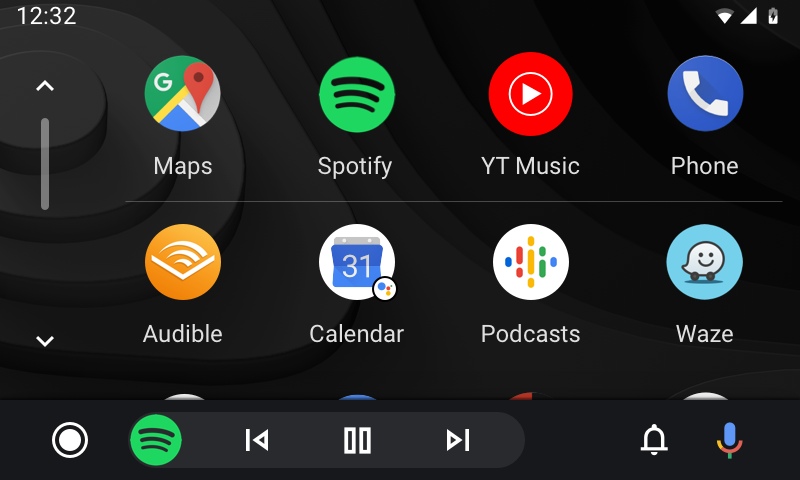
Android Auto
Use Google Maps, Waze, compatible music apps, calls, messages and Google Assistant through the original BMW display.
Wireless Android Auto and wired USB connection are available for compatible Android phones.
Popular Apps Supported by Apple CarPlay and Android Auto
CarPlay and Android Auto show compatible driving apps installed on the connected phone. Hover over an app to read more about its navigation, music, radio, podcast, calling or messaging functions.
Apple CarPlay Apps
Compatible iPhone apps appear automatically in the CarPlay menu when
installed and enabled on the connected phone.
Navigation
Apple Maps
Apple MapsApple CarPlay
Apple Maps brings turn-by-turn navigation to Apple CarPlay with destination search, traffic-aware routing and spoken guidance through Siri. Routes and directions are displayed on the original BMW multimedia screen.
Google Maps
Google MapsApple CarPlay
Google Maps for Apple CarPlay provides familiar route planning, live navigation and destination search from an iPhone. Drivers can follow directions on the BMW screen and use voice commands to search without handling the phone.
Waze
WazeApple CarPlay
Waze on Apple CarPlay combines navigation with community-reported traffic conditions, road hazards and route updates. It is useful for drivers who want real-time information while travelling through busy urban areas or longer routes.
TomTom GO
TomTom GOApple CarPlay
TomTom GO offers clear turn-by-turn guidance, route planning and traffic-based navigation through Apple CarPlay. The app is designed for drivers who prefer TomTom maps and a dedicated navigation experience on the vehicle display.
Music, radio and podcasts
Apple Music
Apple MusicApple CarPlay
Apple Music integrates directly with Apple CarPlay, allowing drivers to browse music, playlists, albums and personalised recommendations. Playback can be controlled through the BMW controls, steering-wheel controls or Siri.
Spotify
SpotifyApple CarPlay
Spotify on Apple CarPlay provides access to music, playlists, podcasts and personalised listening. Drivers can use the original BMW controls or Siri to start playback, change tracks and search for audio content.
YouTube Music
YouTube MusicApple CarPlay
YouTube Music works as an audio app in Apple CarPlay, giving access to music, playlists, mixes and saved content. Video is not displayed while driving; the CarPlay menu focuses on safe audio playback and voice control.
Amazon Music
Amazon MusicApple CarPlay
Amazon Music allows compatible subscribers to play songs, albums, playlists and stations through Apple CarPlay. The app can be controlled from the vehicle display or by using Siri voice commands.
TIDAL
TIDALApple CarPlay
TIDAL brings its music catalogue, playlists and personalised recommendations to Apple CarPlay. It is suitable for drivers who already use TIDAL and want convenient access through the original BMW multimedia screen.
TuneIn Radio
TuneIn RadioApple CarPlay
TuneIn Radio provides internet radio stations, news, sports, music and podcasts through Apple CarPlay. It is also a practical alternative when the factory FM radio cannot be heard at the same time as CarPlay audio.
Apple Podcasts
Apple PodcastsApple CarPlay
Apple Podcasts lets drivers continue subscribed shows, browse saved episodes and control podcast playback through Apple CarPlay. Siri can help start a programme or resume listening without using the iPhone screen.
Audible
AudibleApple CarPlay
Audible gives access to audiobooks and spoken-word content through Apple CarPlay. Drivers can continue a book, pause playback and move between chapters using the vehicle controls or Siri.
Calls and messaging
☎Phone
☎
PhoneApple CarPlay
The Apple CarPlay Phone app allows hands-free calling through the vehicle display. Drivers can access recent calls, contacts and voicemail, or ask Siri to call a person without touching the phone.
✉Messages
✉
MessagesApple CarPlay
Messages in Apple CarPlay supports voice-based reading and sending of compatible messages through Siri. The system is designed to minimise the need to look at or operate the iPhone while driving.
WhatsApp
WhatsAppApple CarPlay
WhatsApp can provide supported voice calling and messaging functions through Apple CarPlay. Siri can read incoming messages aloud and help compose replies while the phone remains safely stored.
LINE
LINEApple CarPlay
LINE offers compatible messaging and calling functions through Apple CarPlay where supported. Voice control helps drivers hear and respond to messages without opening the mobile app on the phone.
Android Auto Apps
Android Auto shows compatible apps installed and enabled on the
connected Android phone.
Navigation
Google Maps
Google MapsAndroid Auto
Google Maps is closely integrated with Android Auto and provides route guidance, traffic information, destination search and spoken directions. The map appears on the original BMW display and can be controlled with voice commands.
Waze
WazeAndroid Auto
Waze on Android Auto provides navigation together with community-reported traffic, hazards and road updates. It can automatically suggest alternative routes when conditions change during the journey.
TomTom AmiGO
TomTom AmiGOAndroid Auto
TomTom AmiGO provides turn-by-turn navigation, traffic information and speed-related driving alerts through Android Auto. It is a useful alternative for drivers who prefer the TomTom navigation environment.
Sygic
SygicAndroid Auto
Sygic supports navigation through Android Auto on compatible phones and accounts. It provides map guidance and route information on the vehicle screen, making it suitable for drivers who already use Sygic on their Android phone.
Music, radio and podcasts
Spotify
SpotifyAndroid Auto
Spotify on Android Auto provides music, playlists, podcasts and personalised recommendations through the car display. Playback can be controlled through the BMW controls, steering wheel or Google voice control.
YouTube Music
YouTube MusicAndroid Auto
YouTube Music provides audio playback, playlists, mixes and music recommendations through Android Auto. The driving menu is designed for audio control and does not show normal YouTube video content.
Amazon Music
Amazon MusicAndroid Auto
Amazon Music gives compatible users access to songs, albums, playlists and stations through Android Auto. Playback can be managed from the original BMW controls or with Google voice commands.
TIDAL
TIDALAndroid Auto
TIDAL works with Android Auto to provide music, playlists and personalised audio recommendations through the original vehicle display. It allows existing TIDAL users to continue listening without operating the phone.
Deezer
DeezerAndroid Auto
Deezer on Android Auto provides music, playlists, Flow recommendations and saved audio through the vehicle display. Drivers can control playback with the BMW controls or supported voice commands.
TuneIn Radio
TuneIn RadioAndroid Auto
TuneIn Radio provides internet radio, news, sports, music and podcasts through Android Auto. It is useful when drivers want radio-style content while the multimedia system is using the Android Auto audio channel.
Audible
AudibleAndroid Auto
Audible for Android Auto allows drivers to listen to audiobooks and spoken-word content. The simplified in-car controls make it easy to pause, resume and move through a book during a journey.
Pocket Casts
Pocket CastsAndroid Auto
Pocket Casts provides podcast subscriptions, episode queues and playback controls through Android Auto. It is suited to drivers who want organised access to favourite podcasts on the original BMW screen.
Calls and messaging
☎Phone
☎
PhoneAndroid Auto
The Android Auto Phone app supports hands-free calls, recent-call access and contact search through the car display. Google voice control can place calls while the phone stays out of the driver’s hands.
✉Messages
✉
MessagesAndroid Auto
Android Auto messaging functions can read compatible incoming messages aloud and help create replies by voice. This keeps communication available while reducing interaction with the phone screen.
WhatsApp
WhatsAppAndroid Auto
WhatsApp provides compatible voice calling and messaging features through Android Auto. Incoming messages can be read aloud, and replies can be created using Google voice control.
Telegram
TelegramAndroid Auto
Telegram can provide supported messaging functions through Android Auto, including spoken notifications and voice replies. Availability depends on the phone, app version and Android Auto support.
Important: Not every app installed on the phone appears
in the vehicle. Apple CarPlay and Android Auto show only apps designed and
approved for in-car use. Some services may require mobile data or an
active subscription.
Main BMW CarPlay Integration Benefits
✓
Works with the original BMW multimedia display
✓
The factory screen does not need to be replaced
✓
Wireless Apple CarPlay and Android Auto through Bluetooth and Wi-Fi
✓
Wired USB smartphone connection and compatible phone charging
✓
Original BMW multimedia menu remains available
✓
Original iDrive controller and steering-wheel controls remain in use
✓
Factory rear camera and parking-sensor display are retained
✓
Voice control through Siri or Google Assistant
✓
Screen Mirroring and AirPlay for compatible devices
✓
USB playback of compatible music and video files
✓
Built-in equaliser for module audio adjustment
✓
Optional aftermarket front- and rear-camera connections
✓
Vehicle-specific plug-and-play wiring
✓
No cutting, soldering or multimedia programming normally required
Identify the Original BMW iDrive System
Compare the original main menu, screen and controller before selecting a product version. The same BMW model can have different iDrive generations.
System version takes prioritySelect CCC, CIC, NBT / ID4 or NBT EVO ID5 / ID6 according to the installed system.
Menu and controller must matchBMW system changeover dates overlap, so registration year alone is not enough.
Use the original system appearance to confirm the correct module.
Original-screen integration
Modern Smartphone Functions Without Replacing the BMW Display
The module adds Apple CarPlay and Android Auto to the existing BMW iDrive system. The original dashboard, screen housing and vehicle controls remain unchanged.
Return to the factory BMW menu whenever vehicle settings, radio or original multimedia functions are required.
Operate CarPlay and Android Auto through the original iDrive controller, steering-wheel buttons and connected smartphone. On NBT EVO vehicles with a factory touchscreen, Android Auto is controlled with the iDrive controller.
Check the iDrive Menu Before Ordering
Look at the complete display, main menu and physical controller. Do not identify the system from the BMW model and registration year alone.
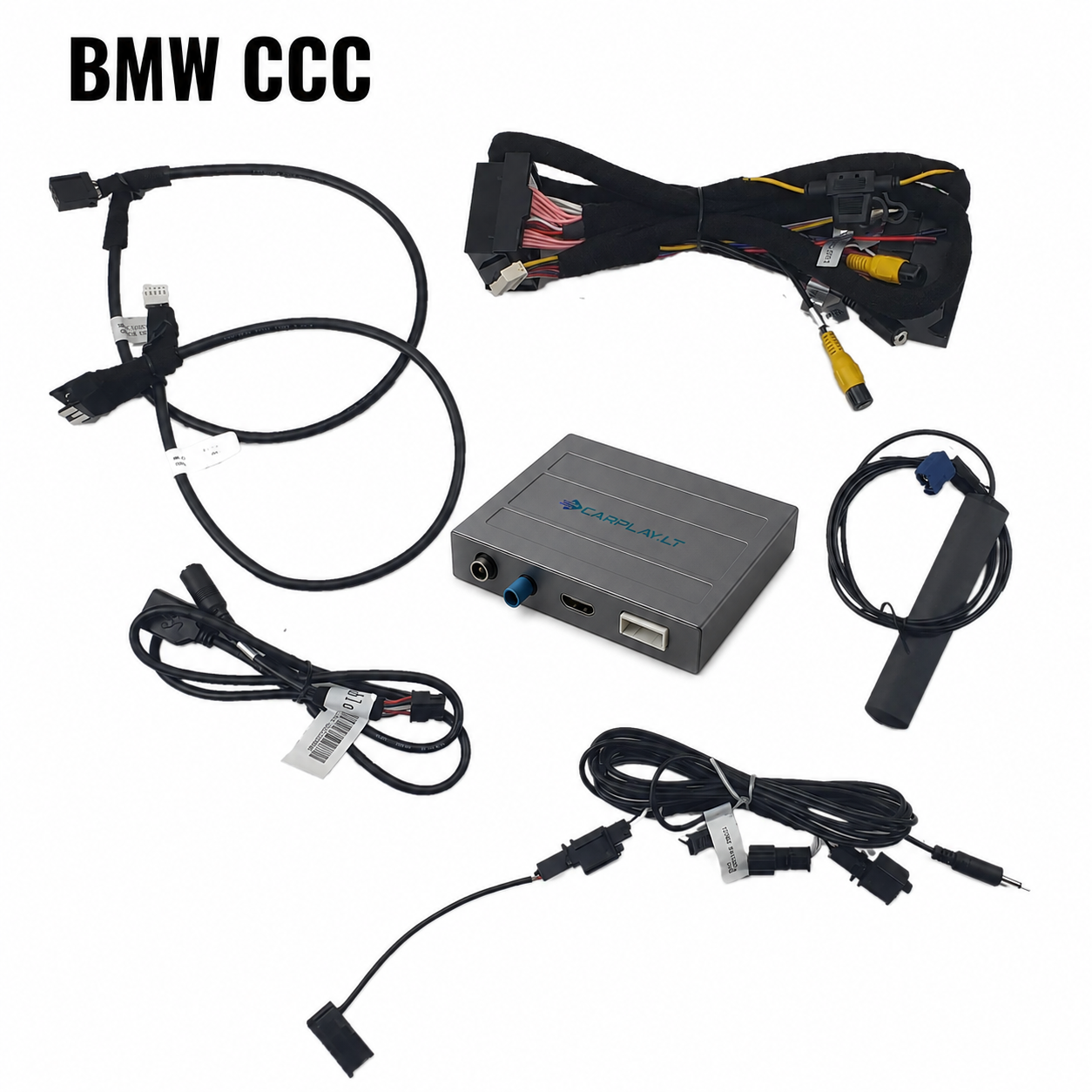
CCC uses a dedicated module version and vehicle-specific video connection.
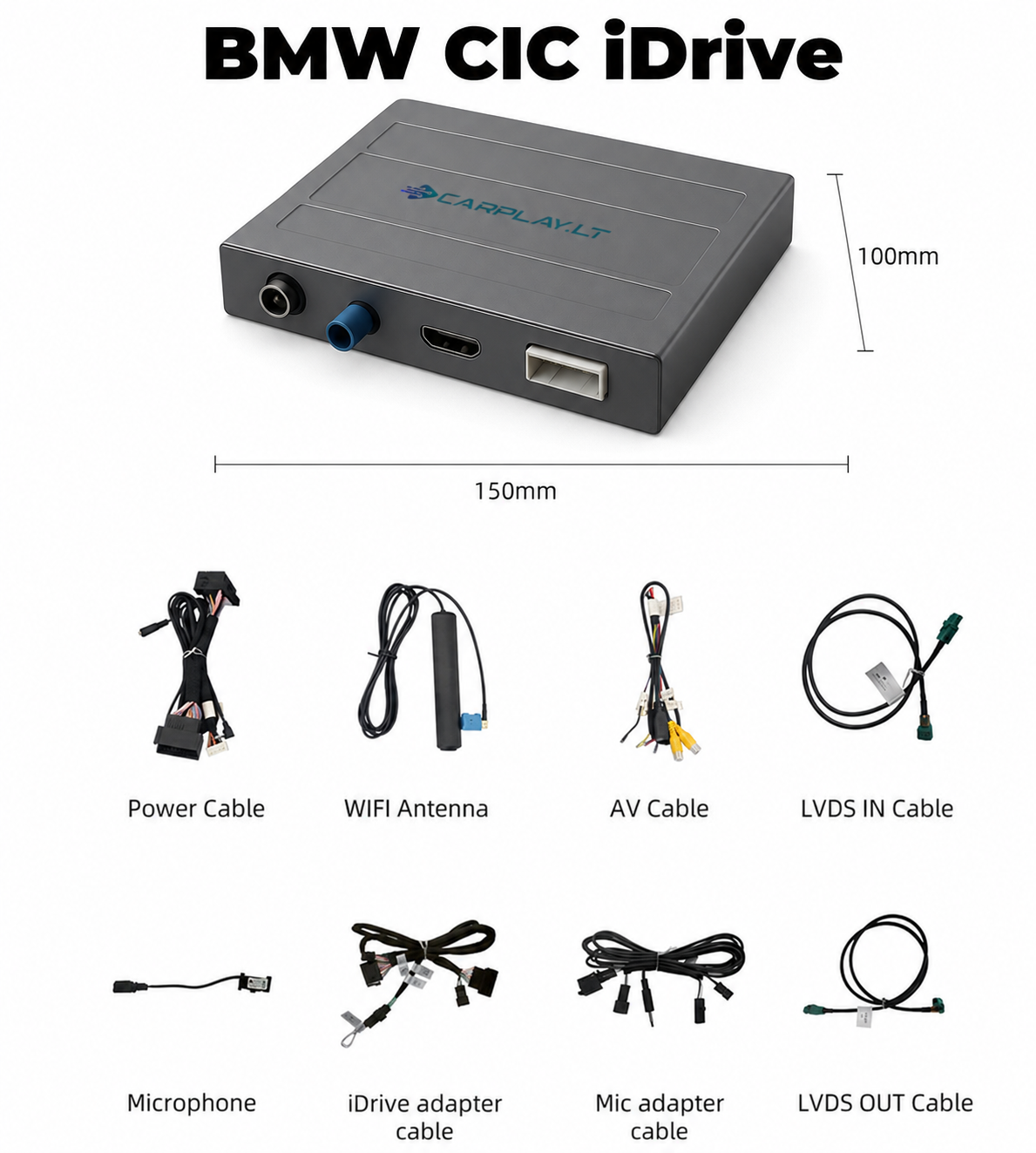
CIC uses a dedicated module version. Compare the complete main-menu layout before ordering.
Not sure which system is installed? Send a clear photograph of the complete screen, iDrive controller and main multimedia menu before ordering.
Original Bluetooth Audio Can Be Retained
The module can use a supported original BMW Bluetooth audio channel, helping retain strong sound quality compared with a basic AUX route. Compatible configurations can also keep the factory Bluetooth phone function while CarPlay or Android Auto is active.
Original Bluetooth channelUse the supported factory audio route when available for the selected BMW system.
Original phone functionCompatible vehicles can retain the original BMW hands-free calling channel.
Equaliser settingsAdjust the module audio output to suit the original BMW sound system.
Correct source selectionFollow the supplied instructions for the selected CCC, CIC, NBT or NBT EVO module.
Apple CarPlay in Original BMW iDrive Systems
The module keeps the factory dashboard design while adding modern navigation, communication and music apps.
BMW CIC — switch between the factory menu and CarPlay
BMW NBT — smartphone apps on the original display
BMW NBT EVO ID5 — original iDrive functions retained
1
Original BMW Controls Remain in Use
Operate the module menu through the original iDrive controller, steering-wheel controls, vehicle buttons or connected phone.
The original BMW menu remains available whenever factory multimedia or vehicle settings are required.
2
Original Parking Functions Are Retained
Selecting reverse gear automatically opens the factory rear-camera or parking-sensor display.
After reversing, the system returns to the previously displayed menu.
Important before ordering
The iDrive version must match
Choose the module according to the original multimedia generation, not only the BMW model and year.
Send a complete dashboard photo when compatibility is uncertain.
Phone compatibility
Wireless support depends on phone hardware and software
Wireless Apple CarPlay requires a compatible iPhone. Wireless Android Auto generally requires Android 11 or a supported Google or Samsung phone with Android 10.
Older Android phones may require a wired USB connection. Some Huawei phones without Google services are not compatible.
Voice Control and Hands-Free Operation
Use Siri or Google Assistant for navigation, calls, messages and music control while keeping your hands on the wheel.
Supported voice-assistant functions are available through Apple CarPlay and Android Auto.
Factory Parking Integration and Optional Camera Support
The module retains original parking information and can support additional aftermarket cameras, depending on the selected version and vehicle configuration.
Original rear camera
Original parking sensors
Optional front camera
Optional aftermarket rear camera
BMW Apple CarPlay and Android Auto Demonstrations
See how the module integrates with original BMW CCC and CIC iDrive systems.
BMW M5 E60 with iDrive CCC
BMW X5 E70 with iDrive CIC
1Identify the iDrive generationConfirm CCC, CIC, NBT / ID4 or NBT EVO ID5 / ID6
2Check the menu and controllerCompare the original menu layout and iDrive controls with the system guide
3Confirm phone requirementsCheck wireless or wired CarPlay and Android Auto compatibility
4Send complete system photosShow the screen, multimedia menu and controller when the version is uncertain
Wireless Smartphone Integration for BMW OEM Multimedia
This module adds wireless Apple CarPlay and Android Auto to compatible BMW vehicles with CCC, CIC, NBT / NBT ID4 or NBT EVO ID5 / ID6 iDrive systems.
The original screen, iDrive controller, steering-wheel controls, vehicle functions, rear camera and parking-sensor display remain available.
Before ordering, confirm the exact iDrive generation, screen menu and controller layout. Select the product variation that matches the system installed in the vehicle.
❌ Others
✕
Selling products without real hands-on experience
✕
Orders placed only after payment, resulting in long waiting times
✕
Customers pushed to buy any product, whether it fits or not
✕
Installation not offered or carried out with poor quality
✕
Only a formal warranty or a complicated return process
✕
Difficult to reach support or no support after the sale
VS
Carplay.lt
✔
15 years of experience in automotive multimedia systems
✔
Best-selling solutions in stock — delivery across Europe in approximately 5 business days
✔
Expert consultation on compatibility and functionality
✔
Professional installation within 1 business day
✔
A genuine 2-year warranty within the EU
✔
Technical support even after the warranty period
Cheaper does not always mean better. Not all CarPlay solutions are the same.
The real difference becomes clear when price is not the only factor, but also
experience, professional installation, and reliable support when you need it.
5/5 belaidis carplay originaliame bmw ekrane. Susimontavau pats užtrukau gal kokias 4 val, bet su vyruku pagalba susiskambinus viskas pavyko. Ačiū carplay komandai
Povilas
Reviewer
Geras upgreidas senesniam automobiliui. Pas pačius Kaune ir montavaus. Veikimu kol kas visai patenkintas.
Sorry, no reviews match your current selections
Add a review
BMW Carplay Android Auto Integration for OEM Multimedia





 In stock
 Item stock >1 will be delivered in 1-2 working days!
 Item stock <1 will be delivered in 7-11 working days World Wide!
 We can install all products in our workshop.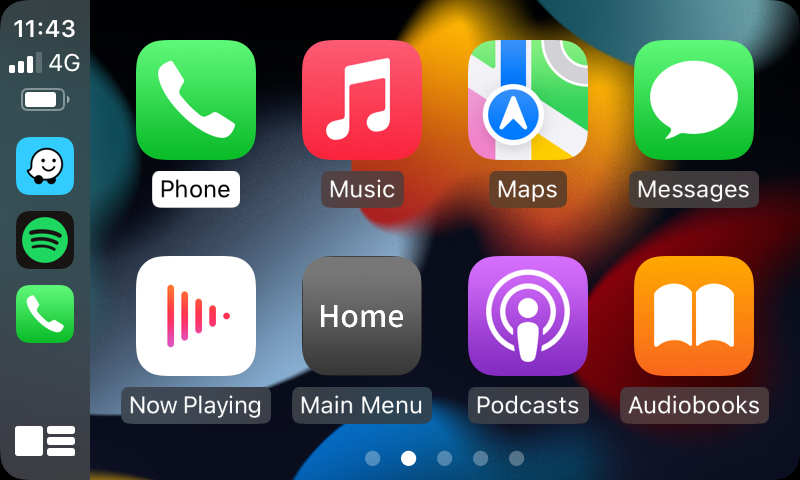
















 Carplay.lt


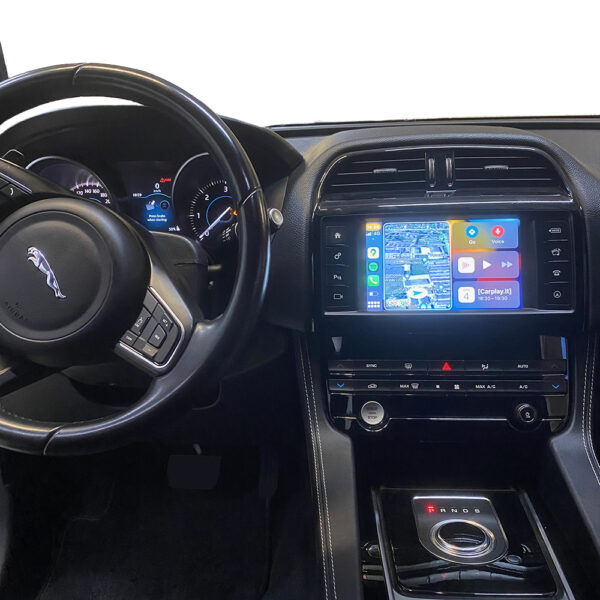



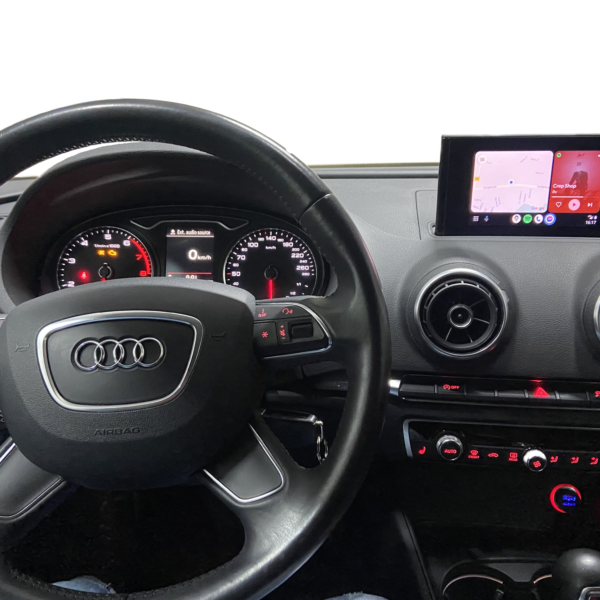


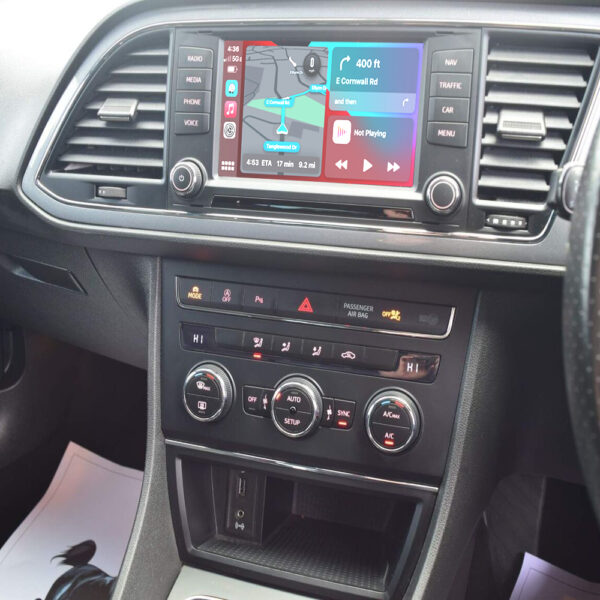

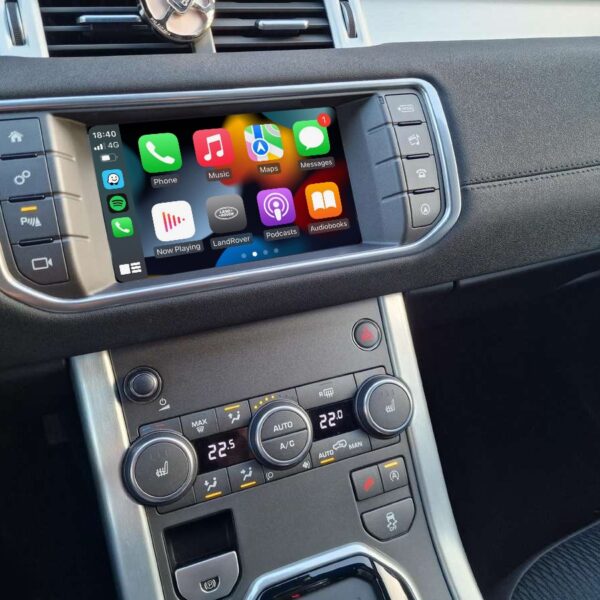

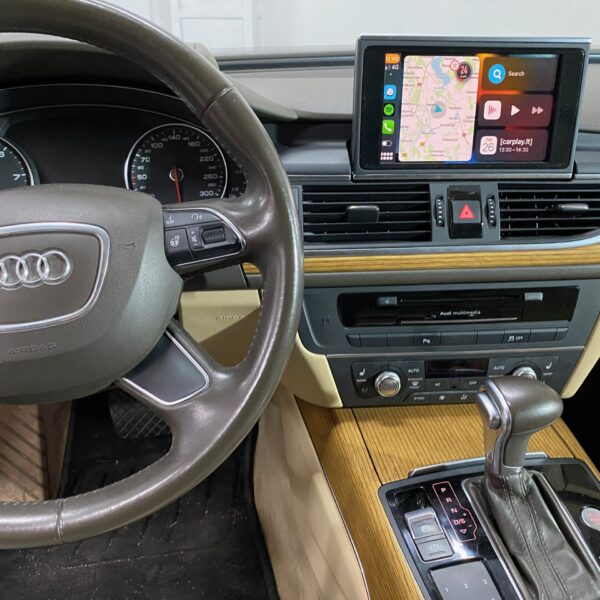



5/5 belaidis carplay originaliame bmw ekrane. Susimontavau pats užtrukau gal kokias 4 val, bet su vyruku pagalba susiskambinus viskas pavyko. Ačiū carplay komandai
Geras upgreidas senesniam automobiliui. Pas pačius Kaune ir montavaus. Veikimu kol kas visai patenkintas.