Jeep Compass — 2017–2020
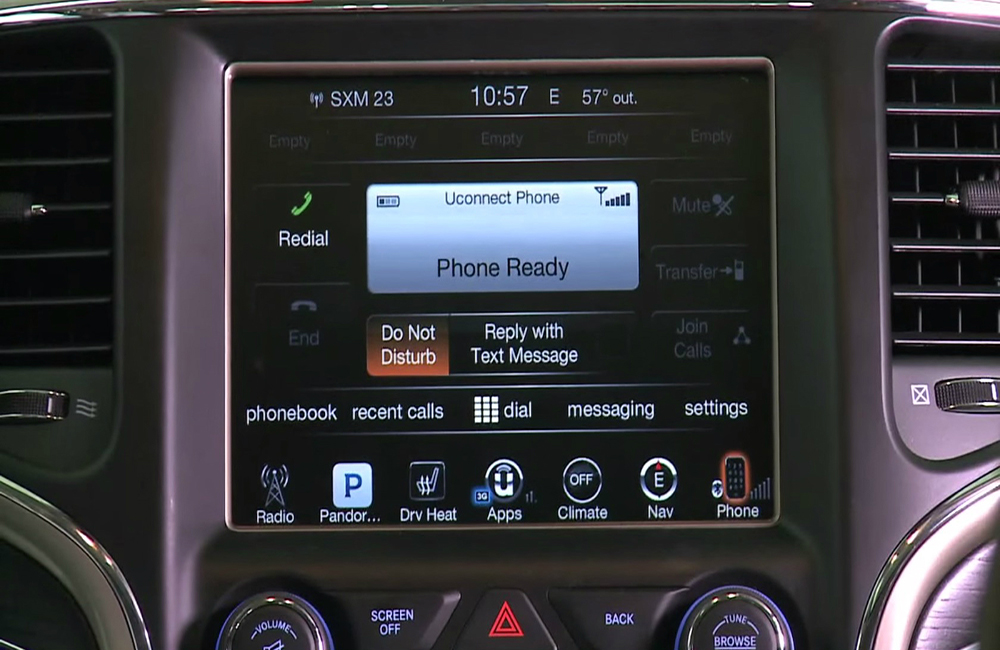
Compatible Gen2 Uconnect required- Original Gen2 Uconnect touchscreen
- Original screen and surrounding-button layout must match
 EUR
EUR
EUR
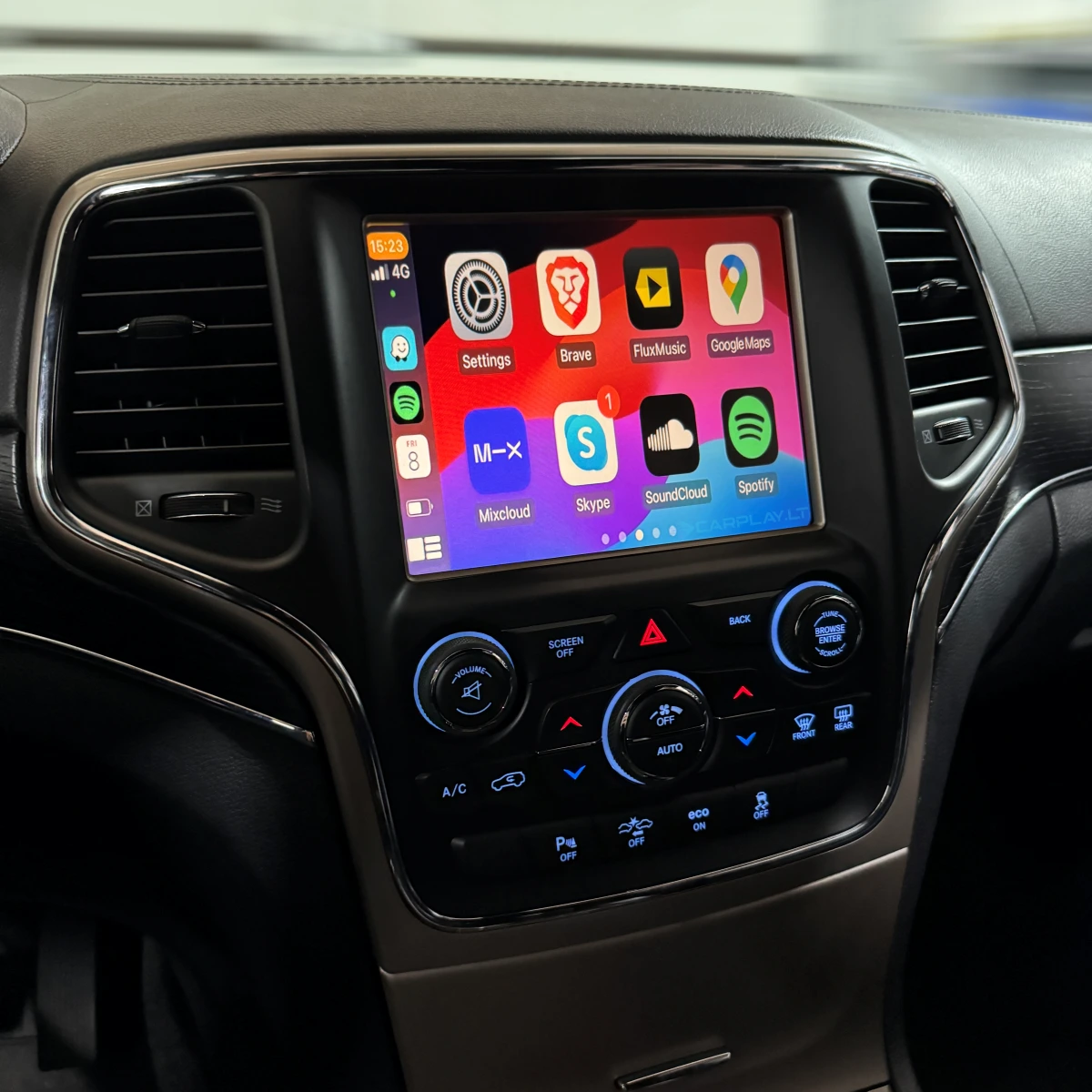
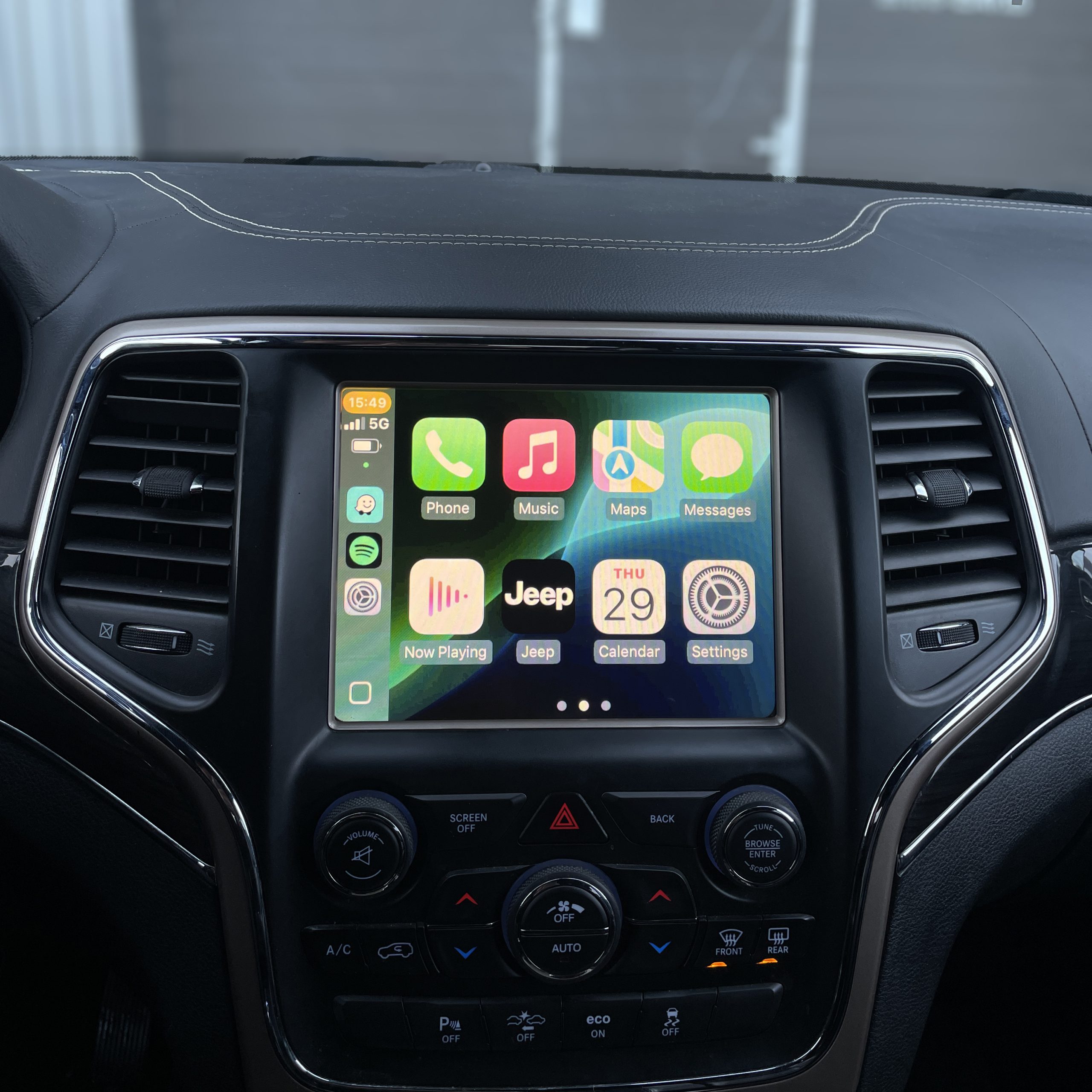
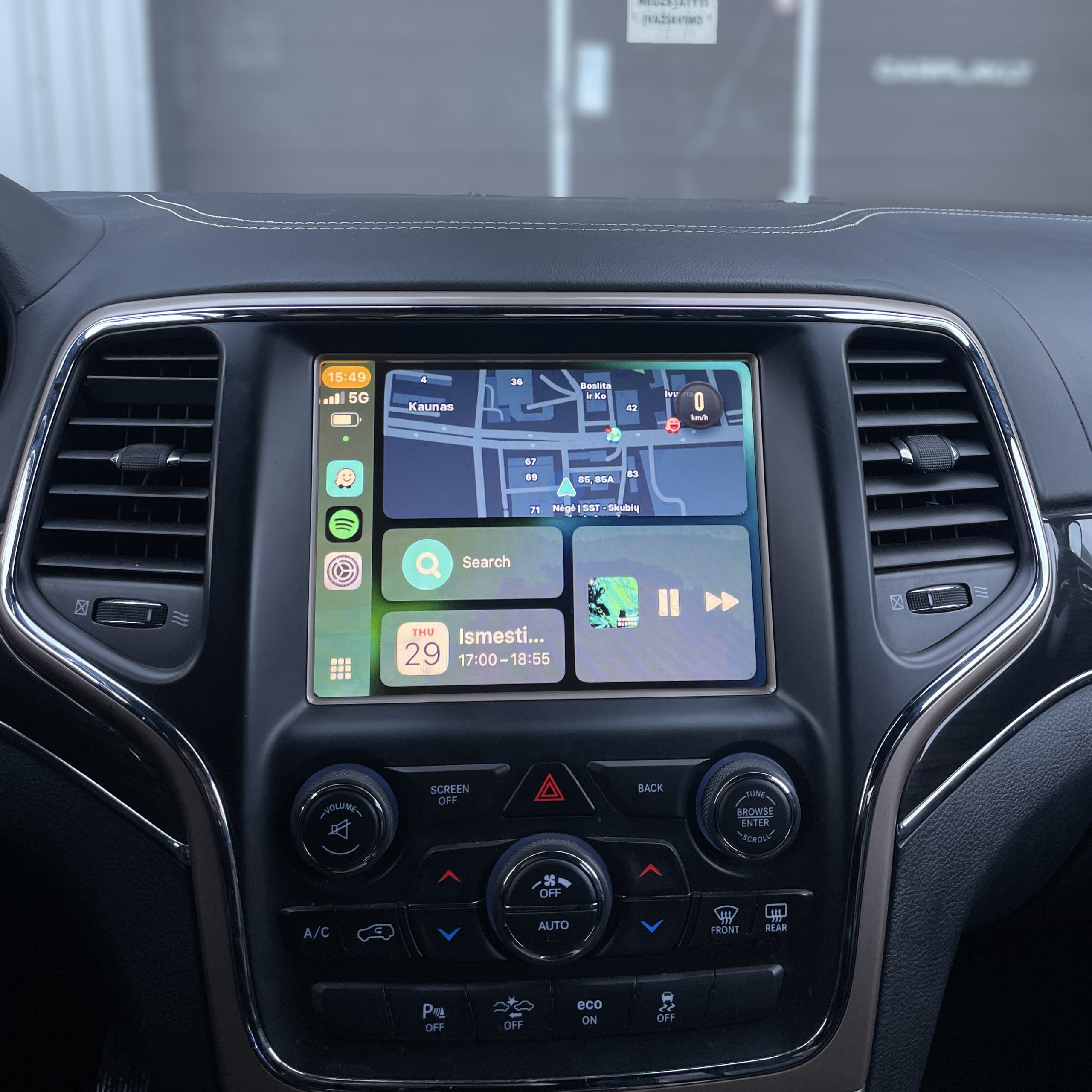
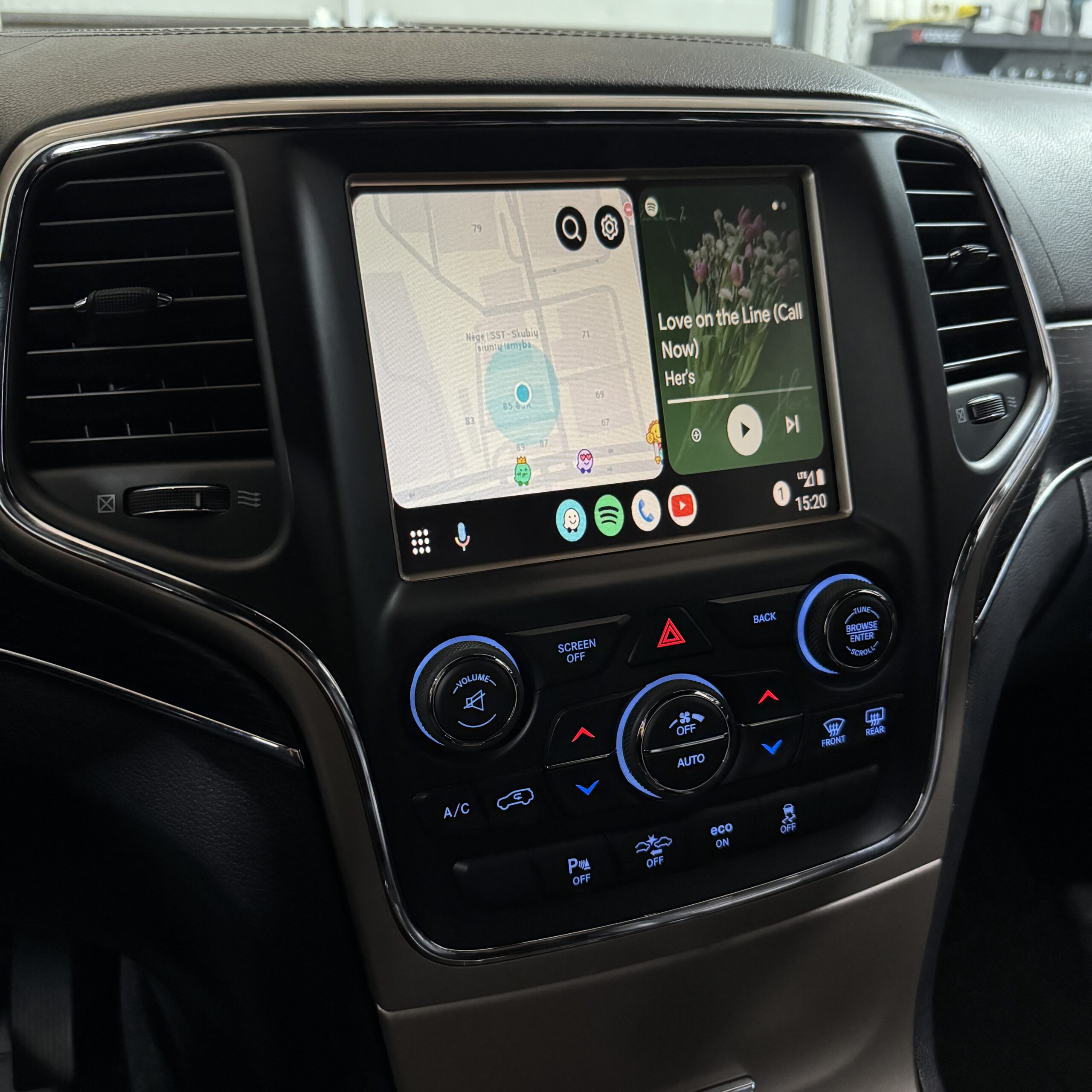
Wireless Apple CarPlay and Android Auto integration for Jeep vehicles allows you to use CarPlay, Android Auto, screen mirroring and AirPlay through the original Uconnect multimedia screen. Access Google Maps, Waze, Apple Maps, Spotify, Apple Music, WhatsApp, Podcasts and other compatible apps.
Not sure which Uconnect system your Jeep has? Send us a photo of the multimedia screen, and we will help you choose the correct product.
Professional installation is available at our workshop in Lithuania.
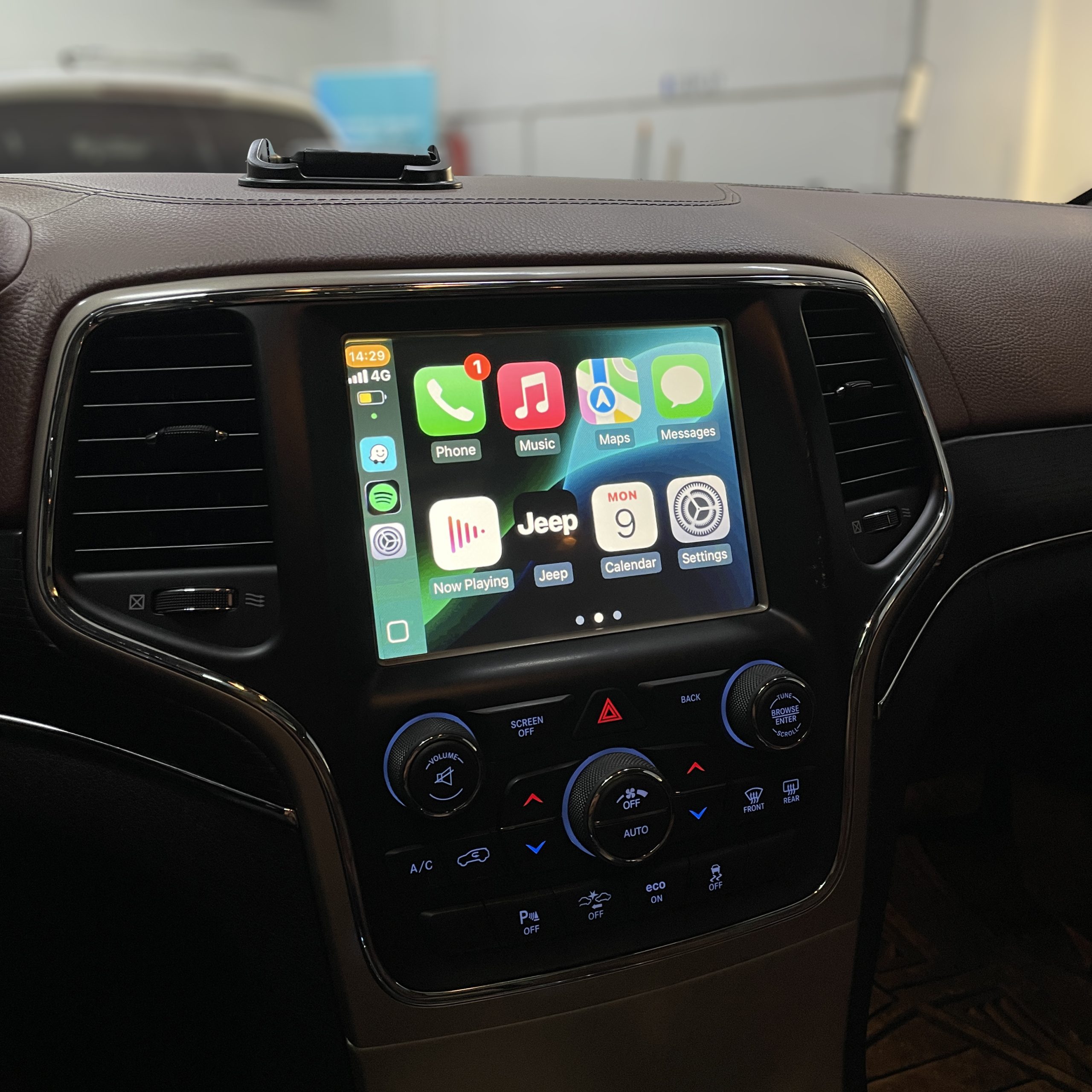
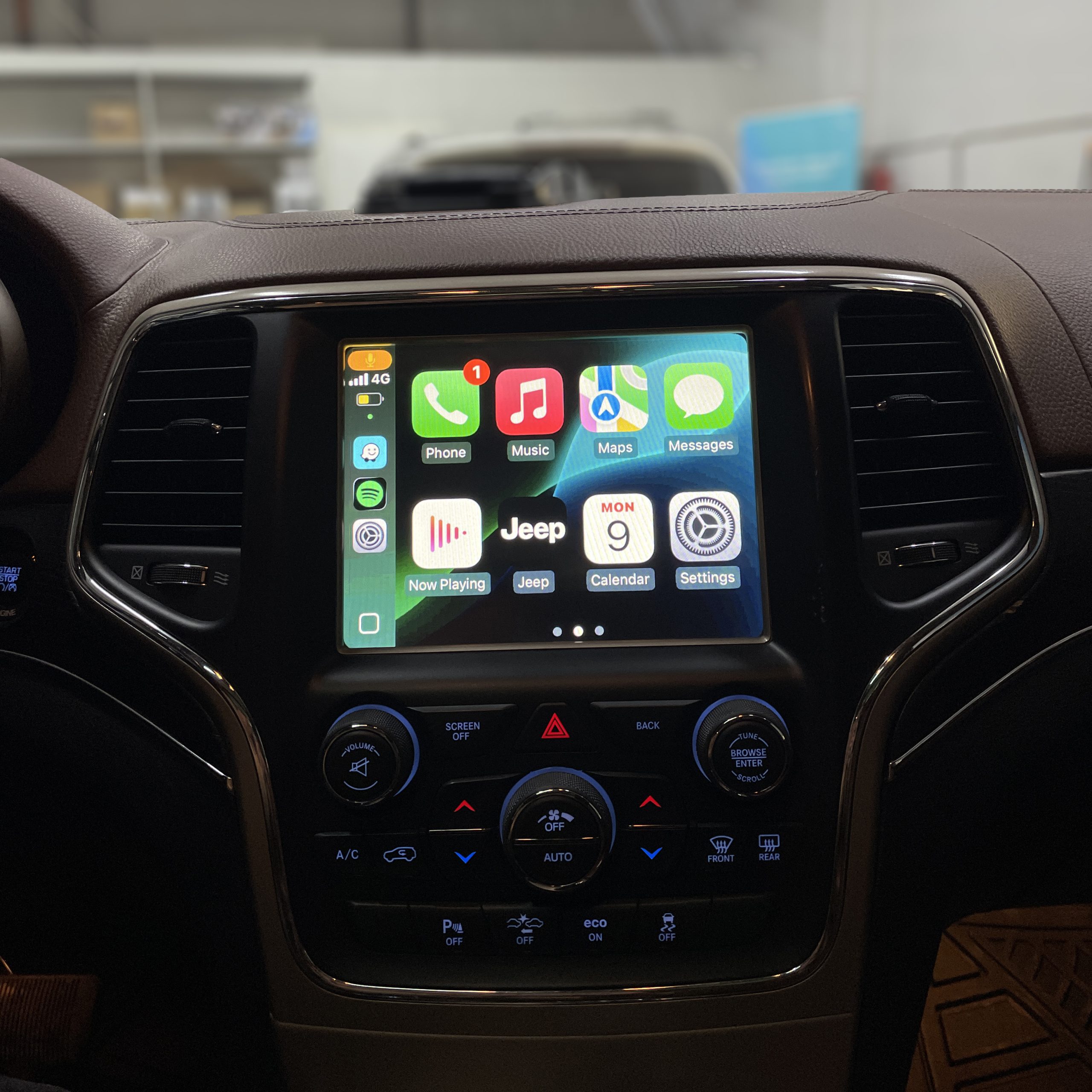
Add wireless Apple CarPlay and Android Auto to a compatible Jeep while retaining the original Gen2 Uconnect multimedia screen, factory controls and dashboard appearance.
Navigation, music, calls, messages and supported applications are displayed directly on the original Uconnect screen. Screen Mirroring, AirPlay and compatible USB media playback are also available.
This product is intended only for Jeep Compass 2017–2020, Jeep Cherokee 2016–2020, Jeep Grand Cherokee 2014–2020 and Jeep Commander 2018–2020 equipped with the compatible Gen2 Uconnect system.
Compatibility is limited to the four Jeep models and exact year ranges below. The vehicle must also have the compatible Gen2 Uconnect system.
Connect a compatible phone wirelessly through Bluetooth and Wi‑Fi or use the USB connection for wired smartphone integration and compatible phone charging.
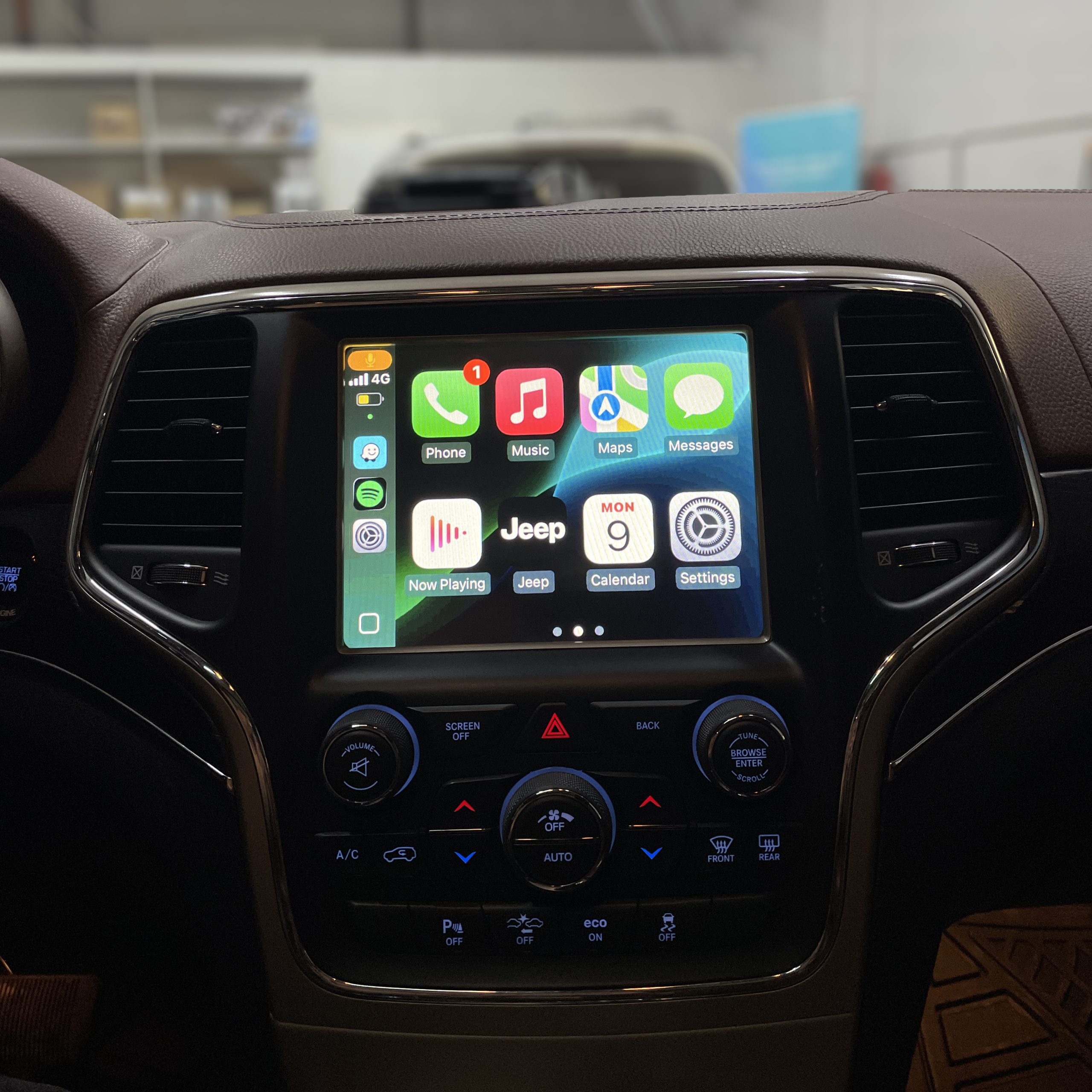
Use compatible navigation, music, calls, messages and Siri voice control through the original Uconnect screen.
Wireless Apple CarPlay is supported with compatible iPhones using iOS 12 or newer.

Use compatible navigation, music, calls, messages and Google Assistant through the original Uconnect screen.
Wireless Android Auto is supported with compatible Android phones using Android 11 or newer.
CarPlay and Android Auto show compatible driving apps installed on the connected phone. Hover over an app to read more about its navigation, music, radio, podcast, calling or messaging functions.
Compatible iPhone apps appear automatically in the CarPlay menu when installed and enabled on the connected phone.
 Apple Maps
 brings turn-by-turn navigation to Apple CarPlay with destination search, traffic-aware routing and spoken guidance through Siri. Routes and directions are displayed on the original BMW multimedia screen.
 Google Maps
 for Apple CarPlay provides familiar route planning, live navigation and destination search from an iPhone. Drivers can follow directions on the BMW screen and use voice commands to search without handling the phone.
 Waze
Waze on Apple CarPlay combines navigation with community-reported traffic conditions, road hazards and route updates. It is useful for drivers who want real-time information while travelling through busy urban areas or longer routes.
 TomTom GO
 offers clear turn-by-turn guidance, route planning and traffic-based navigation through Apple CarPlay. The app is designed for drivers who prefer TomTom maps and a dedicated navigation experience on the vehicle display.
 Apple Music
 integrates directly with Apple CarPlay, allowing drivers to browse music, playlists, albums and personalised recommendations. Playback can be controlled through the BMW buttons, steering-wheel controls or Siri.
 Spotify
 on Apple CarPlay provides access to music, playlists, podcasts and personalised listening. Drivers can use the original BMW controls or Siri to start playback, change tracks and search for audio content.
 YouTube Music
 works as an audio app in Apple CarPlay, giving access to music, playlists, mixes and saved content. Video is not displayed while driving; the CarPlay interface focuses on safe audio playback and voice control.
 Amazon Music
 allows compatible subscribers to play songs, albums, playlists and stations through Apple CarPlay. The app can be controlled from the vehicle interface or by using Siri voice commands.
 TIDAL
TIDAL brings its music catalogue, playlists and personalised recommendations to Apple CarPlay. It is suitable for drivers who already use TIDAL and want convenient access through the original BMW multimedia screen.
 TuneIn Radio
 provides internet radio stations, news, sports, music and podcasts through Apple CarPlay. It is also a practical alternative when the factory FM radio cannot be heard at the same time as CarPlay audio.
 Apple Podcasts
 lets drivers continue subscribed shows, browse saved episodes and control podcast playback through Apple CarPlay. Siri can help start a programme or resume listening without using the iPhone screen.
 Audible
 gives access to audiobooks and spoken-word content through Apple CarPlay. Drivers can continue a book, pause playback and move between chapters using the vehicle controls or Siri.
The Apple CarPlay Phone app allows hands-free calling through the vehicle interface. Drivers can access recent calls, contacts and voicemail, or ask Siri to call a person without touching the phone.
Messages in Apple CarPlay supports voice-based reading and sending of compatible messages through Siri. The system is designed to minimise the need to look at or operate the iPhone while driving.
 WhatsApp
 can provide supported voice calling and messaging functions through Apple CarPlay. Siri can read incoming messages aloud and help compose replies while the phone remains safely stored.
 LINE
LINE offers compatible messaging and calling functions through Apple CarPlay where supported. Voice control helps drivers hear and respond to messages without opening the mobile app on the phone.
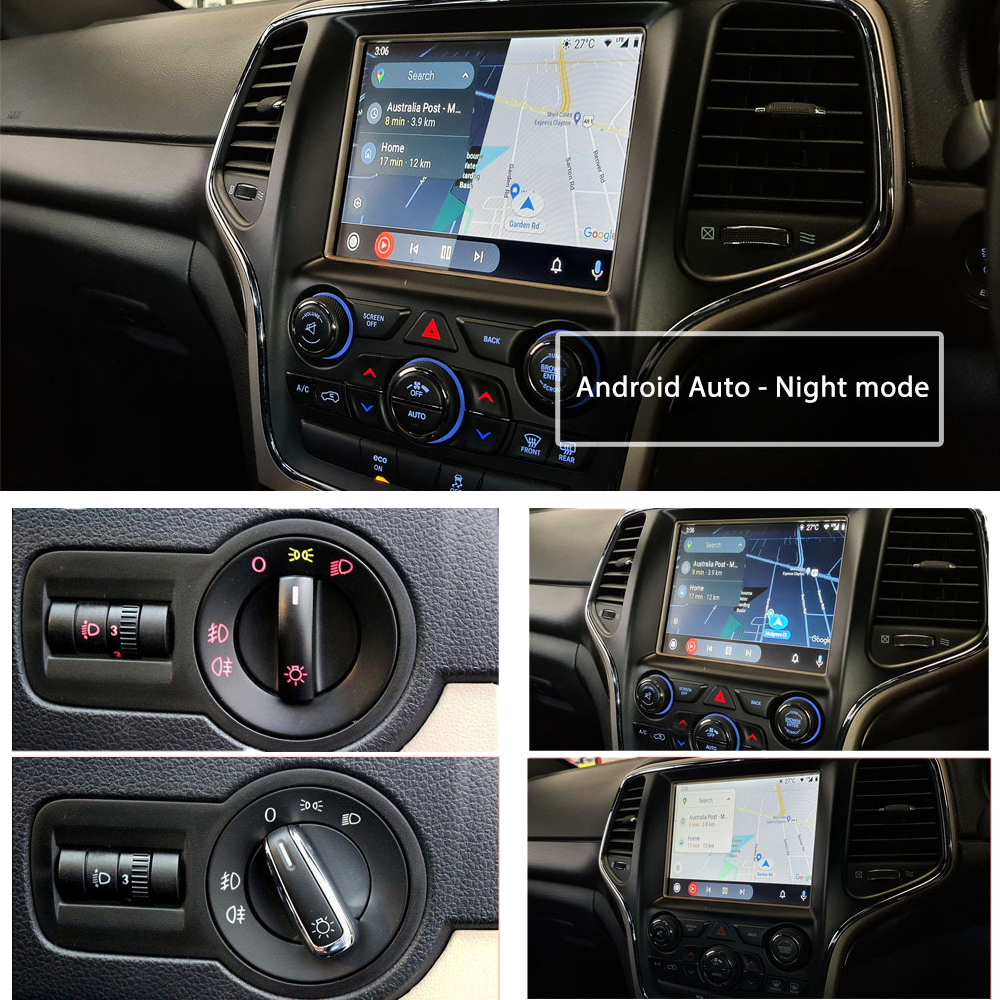
Android Auto shows compatible apps installed and enabled on the connected Android phone.
Google Maps
Google Maps is closely integrated with Android Auto and provides route guidance, traffic information, destination search and spoken directions. The map appears on the original BMW display and can be controlled with voice commands.
Waze
Waze on Android Auto provides navigation together with community-reported traffic, hazards and road updates. It can automatically suggest alternative routes when conditions change during the journey.
TomTom AmiGO
TomTom AmiGO provides turn-by-turn navigation, traffic information and speed-related driving alerts through Android Auto. It is a useful alternative for drivers who prefer the TomTom navigation environment.
 Sygic
Sygic supports navigation through Android Auto on compatible phones and accounts. It provides map guidance and route information on the vehicle screen, making it suitable for drivers who already use Sygic on their Android phone.
Spotify
Spotify on Android Auto provides music, playlists, podcasts and personalised recommendations through the car display. Playback can be controlled through the BMW buttons, steering wheel or Google voice control.
YouTube Music
YouTube Music provides audio playback, playlists, mixes and music recommendations through Android Auto. The driving interface is designed for audio control and does not show normal YouTube video content.
Amazon Music
Amazon Music gives compatible users access to songs, albums, playlists and stations through Android Auto. Playback can be managed from the original BMW controls or with Google voice commands.
TIDAL
TIDAL works with Android Auto to provide music, playlists and personalised audio recommendations through the original vehicle display. It allows existing TIDAL users to continue listening without operating the phone.
 Deezer
 on Android Auto provides music, playlists, Flow recommendations and saved audio through the vehicle interface. Drivers can control playback with the BMW controls or supported voice commands.
TuneIn Radio
TuneIn Radio provides internet radio, news, sports, music and podcasts through Android Auto. It is useful when drivers want radio-style content while the multimedia system is using the Android Auto audio channel.
Audible
Audible for Android Auto allows drivers to listen to audiobooks and spoken-word content. The simplified in-car controls make it easy to pause, resume and move through a book during a journey.
 Pocket Casts
 provides podcast subscriptions, episode queues and playback controls through Android Auto. It is suited to drivers who want organised access to favourite podcasts on the original BMW screen.
The Android Auto Phone app supports hands-free calls, recent-call access and contact search through the car interface. Google voice control can place calls while the phone stays out of the driver’s hands.
Android Auto messaging functions can read compatible incoming messages aloud and help create replies by voice. This keeps communication available while reducing interaction with the phone screen.
WhatsApp
WhatsApp provides compatible voice calling and messaging features through Android Auto. Incoming messages can be read aloud, and replies can be created using Google voice control.
 Telegram
 can provide supported messaging functions through Android Auto, including spoken notifications and voice replies. Availability depends on the phone, app version and Android Auto support.
This product version is intended only for the compatible Gen2 Uconnect system. Compare the original multimedia screen, surrounding buttons and control layout before ordering.


The module uses the existing Jeep Uconnect multimedia screen instead of replacing it with an aftermarket display. The dashboard, screen housing and original vehicle controls remain in place.
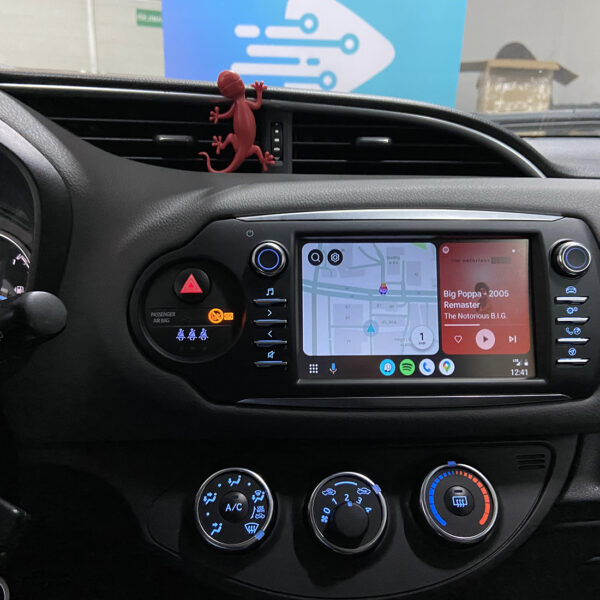
Apple CarPlay and Android Auto appear directly on the factory touchscreen, while the original Uconnect menu can be reopened whenever vehicle settings, radio or factory multimedia functions are required.
The interface is operated through the original touchscreen, steering-wheel controls, vehicle buttons and connected smartphone.
This product version is designed only for the compatible Gen2 Uconnect system. Check the complete touchscreen, surrounding physical buttons and climate-control layout.
Compare the original screen, bottom menu and surrounding-button layout with the product images.
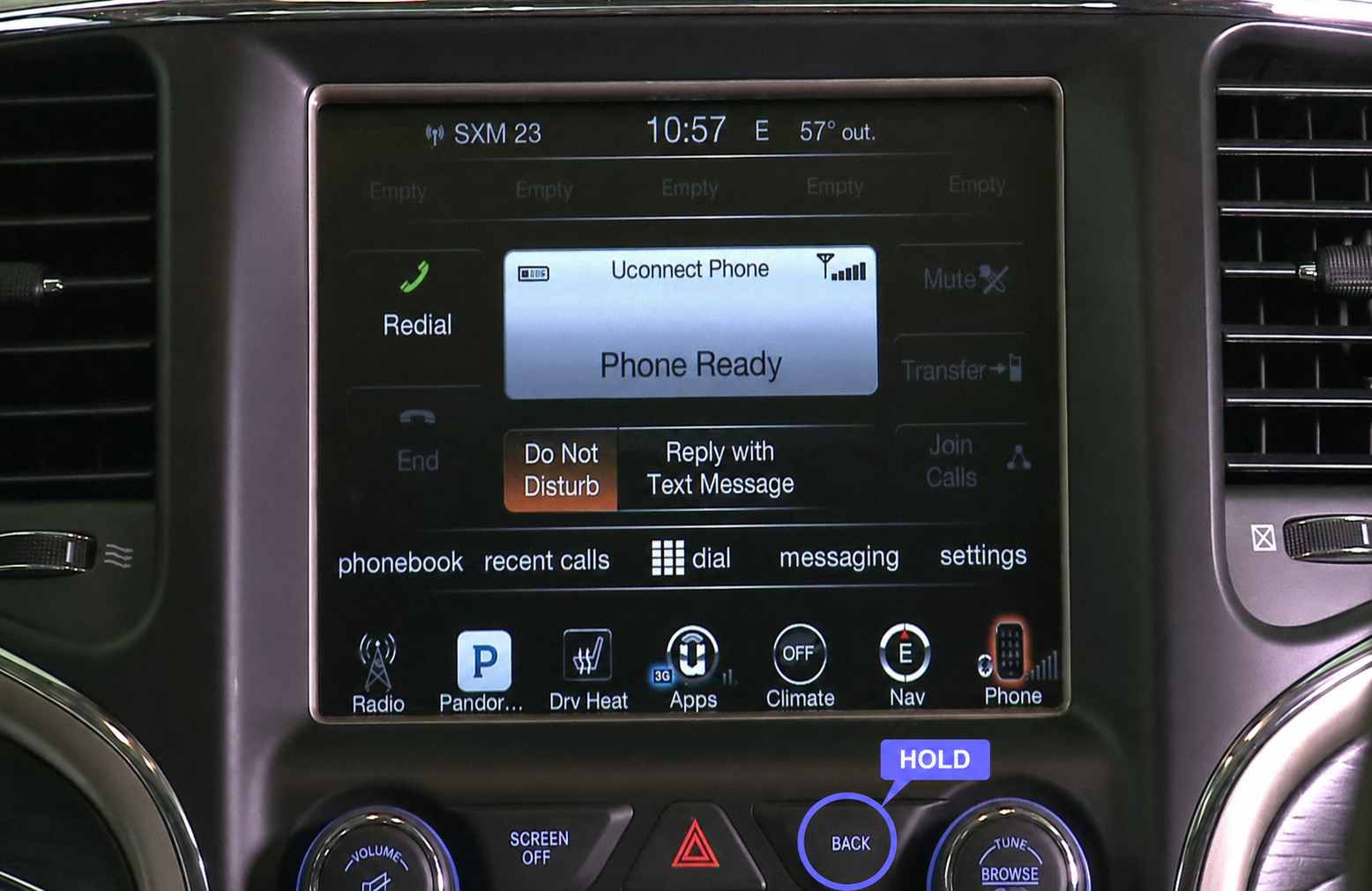
Depending on the installation, the interface is opened with an additional button or a designated steering-wheel control.
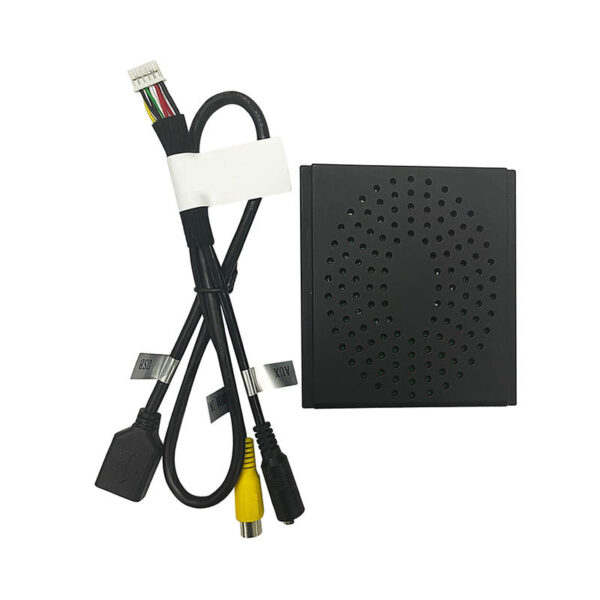
The supplied USB connection can be used for wired Apple CarPlay, Android Auto, compatible phone charging and playback of supported music or video files.
Apple CarPlay, Android Auto and supported applications are displayed directly through the original Uconnect multimedia screen.
Apple CarPlay applications, navigation and communication
Android Auto navigation, music and calls
Original screen and dashboard appearance retained
Operate Apple CarPlay and Android Auto through the original touchscreen, steering-wheel controls, vehicle buttons or connected phone.
The original Uconnect menu remains available whenever vehicle settings, radio or factory multimedia functions are required.
Selecting reverse gear automatically opens the original rear-camera or parking-sensor display.
After reversing, the system returns to the previously displayed interface.
This template is only for the compatible Gen2 Uconnect system.
Check the screen and surrounding buttons or send a complete dashboard photo before ordering.
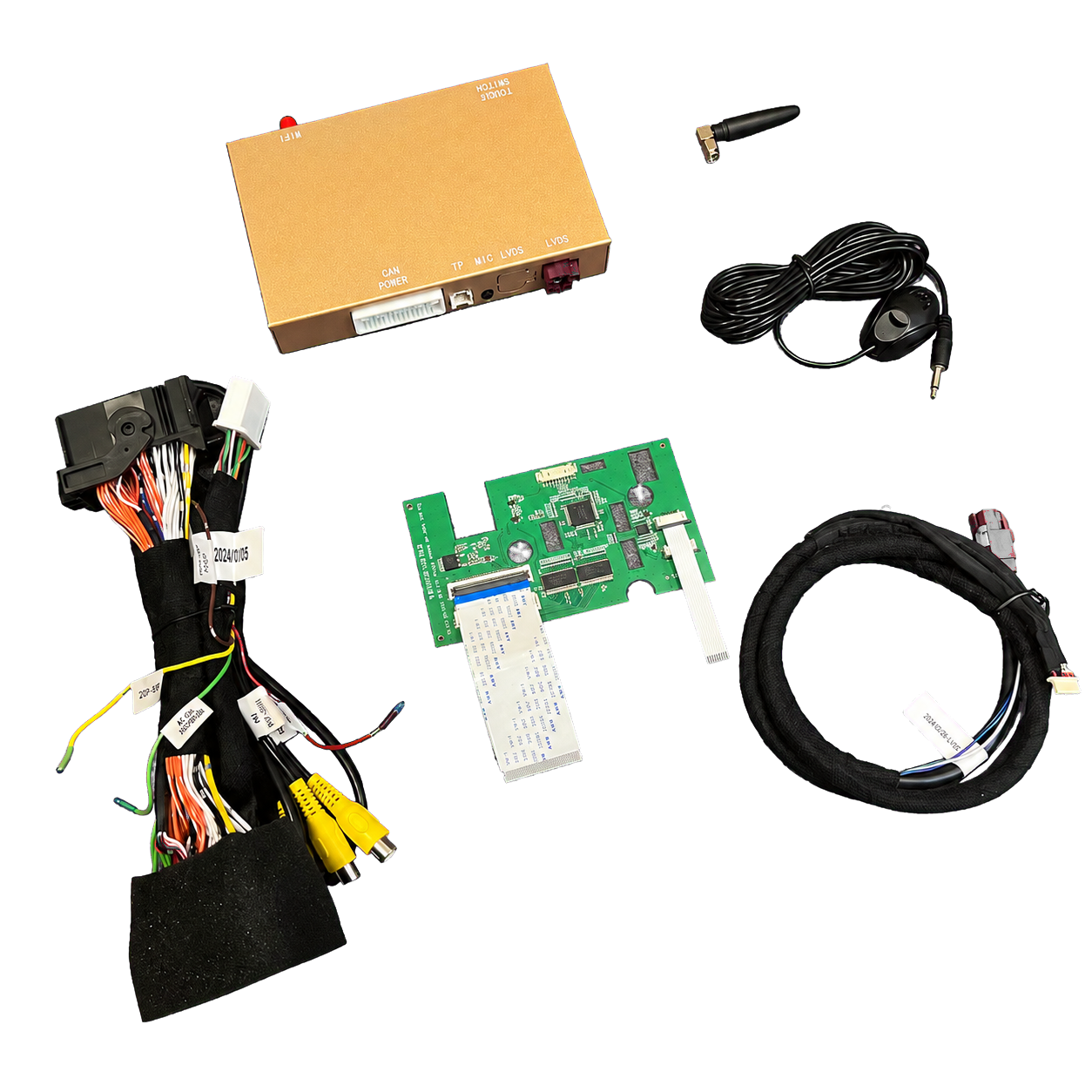
The module connects through supplied vehicle-specific wiring, so the original wires do not need to be cut or soldered.
Additional multimedia-system programming is not required, but installation requires access to the original multimedia unit and correct cable routing.
Use Siri or Google Assistant for navigation, calls, messages and music control while keeping your hands on the wheel.
Compatible voice-assistant functions are available through Apple CarPlay and Android Auto.
The module retains the original rear camera and parking-sensor display and supports an optional aftermarket front-view camera.
This video demonstrates installation and operation of the Apple CarPlay and Android Auto interface with an original Uconnect multimedia system.
This interface adds wireless Apple CarPlay and Android Auto to Jeep Compass 2017–2020, Jeep Cherokee 2016–2020, Jeep Grand Cherokee 2014–2020 and Jeep Commander 2018–2020 equipped with the compatible Gen2 Uconnect system.
The original Uconnect screen, touchscreen operation, steering-wheel controls, vehicle functions, rear camera and parking-sensor information remain available.
Before ordering, confirm the exact Jeep model, year and original Gen2 Uconnect screen layout. This version is not intended for other models, years or Gen1 Uconnect systems.
The price of a Carplay.lt product covers more than the hardware. Every order includes the service and support below.
Similar-looking modules and screens are sold on marketplaces for less. They can come without a compatibility check, without anyone to help you during installation, and with warranty and returns handled outside the EU. With Carplay.lt you get the correct version for your car the first time and a specialist team you can contact before and after the purchase. Not sure what fits? Ask us – the check is free.
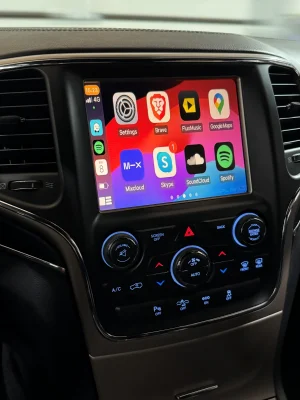 Jeep Compass, Cherokee, Grand Cherokee, Commander Apple Carplay Android Auto Integration for Uconnect 8.4 system 2014-2020








Reviews
There are no reviews yet