

Android Auto vs Android Head Unit: What Is the Difference?
Android Auto and Android head units are often confused because both have “Android” in the name. In fact they are completely different things: one is a phone app, the other is a separate in-car computer. We explain how they differ, what each can do and what you actually need.
Key takeaways
- Android Auto is a phone app: a simplified phone interface is shown on the car screen, while everything runs on your phone.
- An Android head unit is a car screen with its own Android system that works like a tablet, even without a phone.
- Most Android head units also support Android Auto and Apple CarPlay, so one does not exclude the other.
- For safety, Android Auto only allows driving-friendly apps, while an Android head unit can run almost any Google Play app.
- If your car has no Android Auto, it can be added with a module, software activation or a new screen.
Short answer
What is Android Auto?
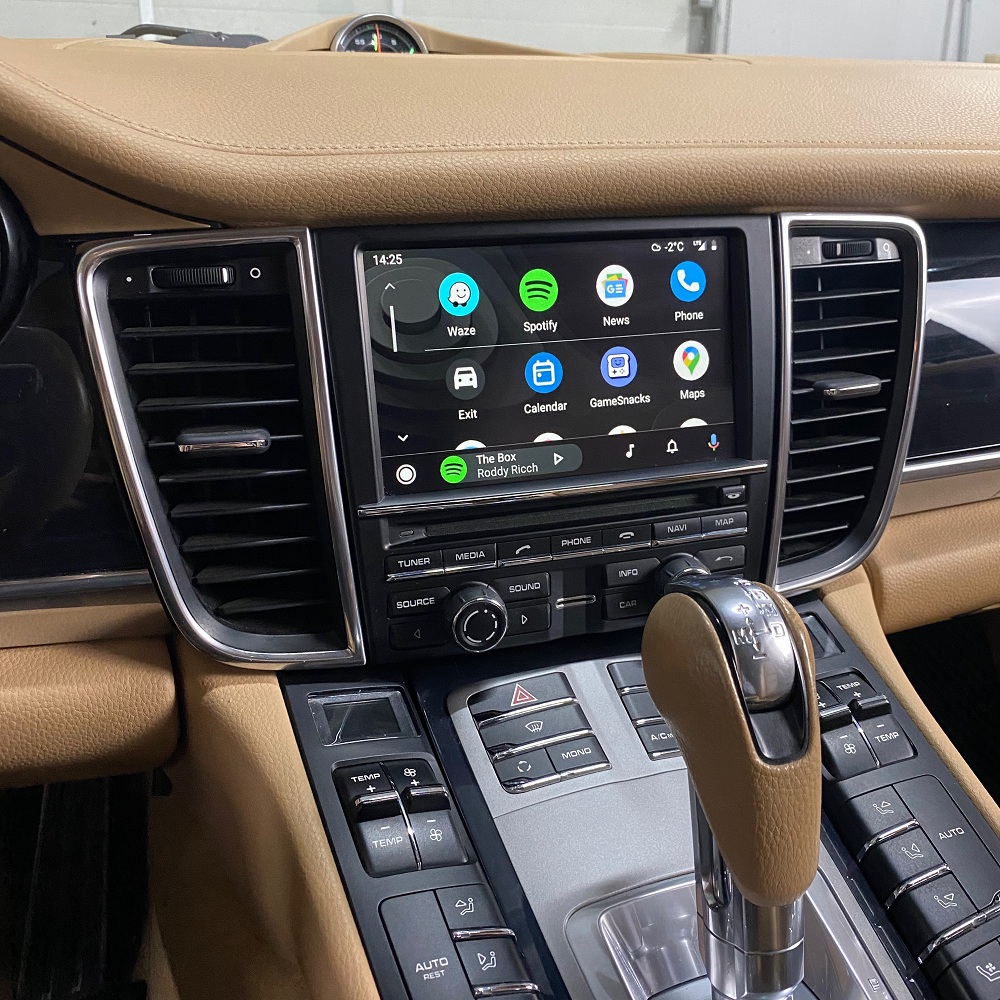
Android Auto is an app made by Google that connects your phone to the car's head unit with a cable or wirelessly. On the car screen you see a simplified interface with large icons: Google Maps or Waze navigation, Spotify or YouTube Music, calls and messages that can be read out and answered by voice.
All apps run on the phone; the car screen only shows the picture and passes on taps and steering wheel button commands. On phones with Android 10 or newer, Android Auto is built into the system, so there is nothing to download separately. Wireless connection requires Android 11 or newer and 5 GHz Wi‑Fi.
For safety, Android Auto only allows driving-friendly apps – there is no video or web browser.
What is an Android head unit?
An Android head unit is a car multimedia screen running a full Android operating system, just like a tablet. It has its own processor, RAM and storage (8 GB and 128 GB in the systems we offer), Wi‑Fi, Bluetooth, GPS and often a SIM card slot.
You can install almost any app from Google Play: navigation, music and radio apps, and – when parked – YouTube or Netflix. No phone needs to be connected.
Most Android head units also have wireless Android Auto and Apple CarPlay, so you can choose: use apps on the screen itself or connect your phone. Browse Android head units.
Android Auto vs Android head unit: comparison
| Criterion | Android Auto | Android head unit |
|---|---|---|
| What it is | An app on the phone | A screen running Android |
| Where apps run | On the phone | On the screen itself |
| Phone required | Yes | No |
| Apps | Driving-friendly apps only | Almost all Google Play apps |
| Internet | Via the phone | Via SIM card, Wi‑Fi or phone hotspot |
| Video | No | Can be watched when parked |
| What the car needs | A head unit with Android Auto, a module or activation | A new, model-specific screen |
What do you need?
We compare a module and an Android head unit in detail in the guide Android head unit or CarPlay module, and all the ways to add CarPlay and Android Auto in How to add CarPlay to an older car.
Not sure what fits your car?
Send us a photo of your head unit switched on and your car model – we will identify the system version and suggest the right solution with a price.
Send a photo →Frequently asked questions
Are Android Auto and an Android head unit the same thing?
No. Android Auto is a phone app that shows phone content on the car screen. An Android head unit is a car screen with its own Android system that also works without a phone.
Does Android Auto work on an Android head unit?
Yes. Most Android head units have wireless Android Auto and Apple CarPlay.
Does Android Auto need internet?
Navigation with live traffic and music streaming use your phone's mobile data. The car screen itself does not use a separate connection.
Does an Android head unit need a SIM card?
Not necessarily. It can get internet via your phone's hotspot or Wi‑Fi. A SIM card is handy if you want internet to work all the time.
Can I watch YouTube via Android Auto?
No – for safety, Android Auto does not allow video apps. YouTube works on an Android head unit, but should only be watched when parked.
How do I add Android Auto to a car that does not have it?
With a CarPlay and Android Auto module on the factory screen, with software activation if the system supports it, or with a new screen that has Android Auto.
Conclusion
Android Auto and an Android head unit are not the same: Android Auto is a phone app shown on the car screen, while an Android head unit is a separate screen with its own system and apps. Most Android head units also run Android Auto, so you can have both.
If phone navigation, music and calls are enough, Android Auto will do. If you want a bigger screen and apps without a phone, choose an Android head unit. Not sure? Send us a photo of your head unit – we will advise you for free.