SEAT Apple CarPlay / Android Auto ļauj izmantot populārākās tālruņa lietotnes automašīnas ekrānā – Google Maps, Spotify, Waze, Apple Music u. c. Tālrunis paliek kabatā, bet lielāko daļu lietotņu redzēsiet ekrānā.
Modulis var izmantot automašīnas oriģinālo Bluetooth kanālu, tāpēc saglabājas laba skaņas kvalitāte salīdzinājumā ar AUX. Var izmantot arī oriģinālo Bluetooth tālruņa funkciju caur Apple CarPlay / Android Auto.
Der SEAT modeļiem ar MMI MIB1 / MIB2 sistēmu:
Arona 2016–2019
New Leon 2016–2019
New Ibiza 2016–2019
Toledo, Ateca 2016–2019
Integration into the original SEAT MIB1 / MIB2 Easy Connect multimedia screen
SEAT MIB1 / MIB2 Easy Connect Wireless Apple CarPlay and Android Auto Integration for 2016–2019 Models
Add wireless Apple CarPlay and Android Auto to a compatible SEAT while retaining the original multimedia display, touchscreen, steering-wheel controls and factory Easy Connect menu.
The interface is intended for MIB1 and MIB2 navigation systems where the main multimedia head unit is installed separately inside the passenger glovebox. It works alongside the original SEAT system rather than replacing it.
Navigation, music, calls, messages and supported smartphone apps appear on the factory display, while the original vehicle menu, parking information and compatible camera functions remain available.
✓
Modern smartphone functions on the original SEAT touchscreen
Keep the factory dashboard and original multimedia controls while adding wireless navigation, music, calls, messaging and voice assistance.
Bezvadu Apple CarPlay un Android Auto
Pair a compatible phone once through Bluetooth and Wi‑Fi. The module can reconnect automatically whenever the vehicle is started.
Apple CarPlay
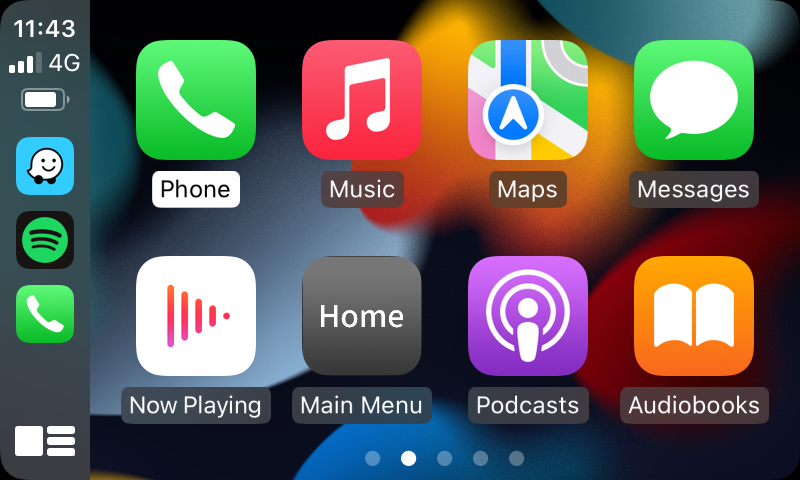
Apple CarPlay provides navigation, calls, messages, music and Siri voice control through the original SEAT display.
Wireless Apple CarPlay works with supported iPhones running iOS 10 or newer. Wired Apple CarPlay is also available through the USB cable.
Android Auto
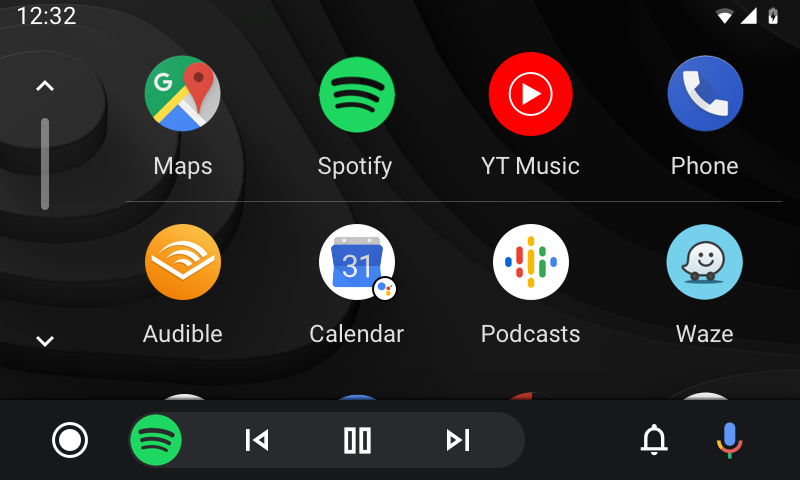
Android Auto provides Google navigation, communication, music and Google Assistant through the original SEAT screen.
Android Auto works with most supported Android phones running Android 10 or newer. Android screen mirroring is also supported.
Populārākās lietotnes, ko atbalsta Apple CarPlay un Android Auto
CarPlay and Android Auto show compatible driving apps installed on the connected phone. Hover over an app to read more about navigation, music, radio, podcast, calling or messaging functions.
Apple CarPlay lietotnes
Compatible iPhone apps appear automatically in the CarPlay menu when
installed on the connected phone.
Navigācija
Apple Maps
Apple MapsApple CarPlay
Apple Maps brings turn-by-turn navigation to Apple CarPlay with destination search, traffic-aware routing and spoken guidance through Siri. Routes and directions are displayed on the original SEAT multimedia screen.
Google Maps
Google MapsApple CarPlay
Google Maps for Apple CarPlay provides familiar route planning, live navigation and destination search from an iPhone. Drivers can follow directions on the SEAT screen and use voice commands to search without handling the phone.
Waze
WazeApple CarPlay
Waze Apple CarPlay vidē apvieno navigāciju ar lietotāju ziņoto informāciju par satiksmi, bīstamām vietām un maršruta izmaiņām. Tas noder vadītājiem, kuri vēlas reāllaika informāciju, braucot pa noslogotām pilsētas ielām vai garākos maršrutos.
TomTom GO
TomTom GOApple CarPlay
TomTom GO piedāvā skaidras detalizētas norādes, maršruta plānošanu un satiksmei pielāgotu navigāciju Apple CarPlay vidē. Lietotne paredzēta vadītājiem, kuri dod priekšroku TomTom kartēm un atsevišķai navigācijas lietotnei automašīnas ekrānā.
Mūzika, radio un podkāsti
Apple Music
Apple MusicApple CarPlay
Apple Music integrates directly with Apple CarPlay, allowing drivers to browse music, playlists, albums and personalised recommendations. Playback can be controlled through the SEAT buttons, steering-wheel controls or Siri.
Spotify
SpotifyApple CarPlay
Spotify on Apple CarPlay provides access to music, playlists, podcasts and personalised listening. Drivers can use the original SEAT controls or Siri to start playback, change tracks and search for audio content.
YouTube Music
YouTube MusicApple CarPlay
YouTube Music Apple CarPlay vidē darbojas kā audio lietotne, nodrošinot piekļuvi mūzikai, atskaņošanas sarakstiem, miksiem un saglabātajam saturam. Braukšanas laikā video netiek rādīts – CarPlay saskarne paredzēta drošai audio atskaņošanai un balss vadībai.
Amazon Music
Amazon MusicApple CarPlay
Amazon Music ļauj abonentiem atskaņot dziesmas, albumus, atskaņošanas sarakstus un stacijas caur Apple CarPlay. Lietotni var vadīt no automašīnas saskarnes vai ar Siri balss komandām.
TIDAL
TIDALApple CarPlay
TIDAL brings its music catalogue, playlists and personalised recommendations to Apple CarPlay. It is suitable for drivers who already use TIDAL and want convenient access through the original SEAT multimedia screen.
TuneIn Radio
TuneIn RadioApple CarPlay
TuneIn Radio nodrošina interneta radio stacijas, ziņas, sportu, mūziku un podkāstus Apple CarPlay vidē. Tā ir arī praktiska alternatīva, ja rūpnīcas FM radio nevar klausīties vienlaikus ar CarPlay audio.
Apple Podcasts
Apple PodcastsApple CarPlay
Apple Podcasts ļauj turpināt abonētos raidījumus, pārlūkot saglabātās epizodes un vadīt podkāstu atskaņošanu caur Apple CarPlay. Siri palīdz sākt raidījumu vai turpināt klausīšanos, neizmantojot iPhone ekrānu.
Audible
AudibleApple CarPlay
Audible nodrošina piekļuvi audiogrāmatām un runātam saturam caur Apple CarPlay. Vadītājs var turpināt grāmatu, apturēt atskaņošanu un pārvietoties starp nodaļām ar automašīnas vadības elementiem vai Siri.
Zvani un ziņapmaiņa
☎Tālrunis
☎
TālrunisApple CarPlay
Apple CarPlay tālruņa lietotne ļauj zvanīt brīvroku režīmā caur automašīnas saskarni. Vadītājs var piekļūt pēdējiem zvaniem, kontaktiem un balss pastam vai lūgt Siri piezvanīt, nepieskaroties tālrunim.
✉Ziņas
✉
ZiņasApple CarPlay
Ziņas Apple CarPlay vidē ļauj ar Siri palīdzību balsī noklausīties un sūtīt saderīgas ziņas. Sistēma izstrādāta tā, lai braukšanas laikā pēc iespējas mazāk būtu jāskatās uz iPhone vai jālieto tas.
WhatsApp
WhatsAppApple CarPlay
WhatsApp caur Apple CarPlay var nodrošināt atbalstītās balss zvanu un ziņapmaiņas funkcijas. Siri var nolasīt ienākošās ziņas un palīdzēt sagatavot atbildes, kamēr tālrunis paliek droši novietots.
LINE
LINEApple CarPlay
LINE, kur tas tiek atbalstīts, piedāvā saderīgas ziņapmaiņas un zvanu funkcijas caur Apple CarPlay. Balss vadība palīdz noklausīties un atbildēt uz ziņām, neatverot lietotni tālrunī.
Android Auto lietotnes
Android Auto rāda saderīgās lietotnes, kas instalētas un iespējotas pievienotajā Android tālrunī.
Navigācija
Google Maps
Google MapsAndroid Auto
Google Maps is closely integrated with Android Auto and provides route guidance, traffic information, destination search and spoken directions. The map appears on the original SEAT display and can be controlled with voice commands.
Waze
WazeAndroid Auto
Waze Android Auto vidē nodrošina navigāciju kopā ar lietotāju ziņoto informāciju par satiksmi, bīstamām vietām un ceļa izmaiņām. Mainoties apstākļiem, lietotne var automātiski ieteikt alternatīvus maršrutus.
TomTom AmiGO
TomTom AmiGOAndroid Auto
TomTom AmiGO nodrošina detalizētu navigāciju, satiksmes informāciju un ātruma brīdinājumus Android Auto vidē. Tā ir noderīga alternatīva vadītājiem, kuri dod priekšroku TomTom navigācijai.
Sygic
SygicAndroid Auto
Sygic atbalsta navigāciju Android Auto vidē saderīgos tālruņos un kontos. Tas rāda kartes norādes un maršruta informāciju automašīnas ekrānā – piemērots vadītājiem, kuri jau izmanto Sygic savā Android tālrunī.
Mūzika, radio un podkāsti
Spotify
SpotifyAndroid Auto
Spotify on Android Auto provides music, playlists, podcasts and personalised recommendations through the car display. Playback can be controlled through the SEAT buttons, steering wheel or Google voice control.
YouTube Music
YouTube MusicAndroid Auto
YouTube Music nodrošina audio atskaņošanu, atskaņošanas sarakstus, miksus un mūzikas ieteikumus Android Auto vidē. Braukšanas saskarne paredzēta audio vadībai un nerāda parasto YouTube video saturu.
Amazon Music
Amazon MusicAndroid Auto
Amazon Music gives compatible users access to songs, albums, playlists and stations through Android Auto. Playback can be managed from the original SEAT controls or with Google voice commands.
TIDAL
TIDALAndroid Auto
TIDAL darbojas ar Android Auto, nodrošinot mūziku, atskaņošanas sarakstus un personalizētus audio ieteikumus oriģinālajā automašīnas ekrānā. Esošie TIDAL lietotāji var turpināt klausīties, nelietojot tālruni.
Deezer
DeezerAndroid Auto
Deezer on Android Auto provides music, playlists, Flow recommendations and saved audio through the vehicle interface. Drivers can control playback with the SEAT controls or supported voice commands.
TuneIn Radio
TuneIn RadioAndroid Auto
TuneIn Radio nodrošina interneta radio, ziņas, sportu, mūziku un podkāstus Android Auto vidē. Tas noder, ja vēlaties radio saturu, kamēr multimediju sistēma izmanto Android Auto audio kanālu.
Audible
AudibleAndroid Auto
Audible Android Auto vidē ļauj klausīties audiogrāmatas un runātu saturu. Vienkāršotā vadība automašīnā ļauj ērti apturēt, turpināt un pārvietoties pa grāmatu brauciena laikā.
Pocket Casts
Pocket CastsAndroid Auto
Pocket Casts provides podcast subscriptions, episode queues and playback controls through Android Auto. It is suited to drivers who want organised access to favourite podcasts on the original SEAT screen.
Zvani un ziņapmaiņa
☎Tālrunis
☎
TālrunisAndroid Auto
Android Auto tālruņa lietotne atbalsta brīvroku zvanus, pēdējo zvanu sarakstu un kontaktu meklēšanu automašīnas saskarnē. Google balss vadība var veikt zvanus, kamēr tālrunis nav vadītāja rokās.
✉Ziņas
✉
ZiņasAndroid Auto
Android Auto ziņapmaiņas funkcijas var nolasīt saderīgas ienākošās ziņas un palīdzēt sagatavot atbildes balsī. Tā saziņa paliek pieejama, mazāk lietojot tālruņa ekrānu.
WhatsApp
WhatsAppAndroid Auto
WhatsApp nodrošina saderīgas balss zvanu un ziņapmaiņas funkcijas caur Android Auto. Ienākošās ziņas var nolasīt skaļi, un atbildes var sagatavot ar Google balss vadību.
Telegram
TelegramAndroid Auto
Telegram caur Android Auto var nodrošināt atbalstītās ziņapmaiņas funkcijas, tostarp balss paziņojumus un atbildes. Pieejamība atkarīga no tālruņa, lietotnes versijas un Android Auto atbalsta.
Svarīgi: Ne visas tālrunī instalētās lietotnes parādās automašīnā. Apple CarPlay un Android Auto rāda tikai lietotnes, kas izstrādātas un apstiprinātas lietošanai automašīnā. Dažiem pakalpojumiem var būt nepieciešami mobilie dati vai aktīvs abonements.
Main Benefits of the SEAT MIB1 / MIB2 Interface
✓
Keeps the original SEAT multimedia display and touchscreen
✓
Wireless Apple CarPlay and Android Auto through Bluetooth and Wi‑Fi
✓
Optional wired Apple CarPlay through the supplied USB connection
✓
Original SEAT Easy Connect menu remains available
✓
Control through the original touchscreen, steering-wheel buttons and factory controls
✓
Balss vadība ar Siri vai Google Assistant
✓
Original vehicle Bluetooth audio channel can be used where supported
✓
Original Bluetooth phone function can remain available with CarPlay or Android Auto
✓
Saglabājas oriģinālās atpakaļskata kameras un stāvvietas sensoru attēls
✓
Aftermarket front, rear and 360-degree camera inputs
✓
Dynamic guidance-line support for compatible camera configurations
✓
AirPlay and Android phone screen-mirroring functions
✓
Saderīgu mūzikas un video failu atskaņošana no USB
✓
Adjustable sound equalizer
✓
Original-connector installation without cutting factory wiring
✓
Plug-and-play installation without additional vehicle coding
What’s Included in the Package
The package includes the MIB1 / MIB2 interface module, vehicle-specific wiring harnesses, video connections, USB cable and wireless antenna.
The exact cable set may vary slightly by MIB generation and vehicle configuration.
Integrācija oriģinālajā ekrānā
Designed to Preserve the Original SEAT Interior
The module uses the existing SEAT multimedia display instead of replacing it with an aftermarket screen. The original dashboard, touchscreen and surrounding controls remain in place.
Apple CarPlay and Android Auto appear directly on the factory display, while the original SEAT Easy Connect menu can be reopened whenever vehicle settings, radio or factory multimedia functions are needed.
The interface works independently from the original navigation system but remains integrated with the original touchscreen, steering-wheel controls and voice-control functions.
Compatible SEAT Models
The vehicle must use a compatible MIB1 or MIB2 SEAT Easy Connect navigation system with the main multimedia head unit installed separately inside the passenger glovebox.
SEAT Arona
2016–2019
SEAT Leon
2016–2019
SEAT Ibiza
2016–2019
SEAT Toledo / Ateca
2016–2019
The glovebox head unit is the key compatibility checkModel and year alone are not sufficient. The vehicle must have the separate MIB multimedia unit with SD-card slots inside the passenger glovebox.
Identify the SEAT Easy Connect MIB1 / MIB2 Glovebox Head Unit
Open the passenger glovebox and look for the separate SEAT Easy Connect multimedia unit with SD1 and SD2 card slots. This unit connects to the dashboard screen and is required for this retrofit interface.
The separate SEAT Easy Connect unit with SD1 and SD2 slots is the main compatibility reference. This product is not intended for radios with all electronics built directly behind the screen.
Separate Easy Connect main unit
The glovebox must contain the factory multimedia head unit with SD1 and SD2 card slots.
Original touchscreen
The original SEAT touchscreen remains installed and controls the smartphone interface.
MIB1 or MIB2 navigation system
The product is intended for supported navigation-equipped MIB1 and MIB2 configurations.
Send photos when uncertain
A clear photo of the screen, original menu and glovebox unit helps confirm compatibility.
The module can use the vehicle’s original Bluetooth audio channel instead of the analogue AUX source, helping maintain better sound quality when the function is supported and configured correctly.
Rūpnīcas Bluetooth audio
Music and navigation sound can be routed through the original SEAT Bluetooth media channel.
Original phone function
The vehicle’s original Bluetooth phone function can remain available while using Apple CarPlay or Android Auto.
Better than basic AUX
Using the original digital Bluetooth channel can provide cleaner audio than a simple analogue AUX connection.
Correct setup required
The Bluetooth-channel option must be enabled in the interface settings and matched with the vehicle’s original audio configuration.
Navigation, Mirroring, Music and Camera Functions
The interface adds smartphone navigation, screen mirroring, music playback and camera functions to the original SEAT display.
Live navigation with supported map apps
AirPlay and compatible phone screen mirroring
Spotify, Apple Music and other supported audio apps
Original or aftermarket camera display
1
Original SEAT Controls Remain in Use
Operate the interface through the original touchscreen, steering-wheel buttons, factory controls and voice commands.
The original SEAT Easy Connect menu remains available whenever vehicle settings, radio or factory multimedia functions are needed.
2
Oriģinālās stāvvietas funkcijas saglabājas
Ieslēdzot atpakaļgaitu, ekrāns automātiski pārslēdzas uz oriģinālo atpakaļskata kameru vai stāvvietas sensoru informāciju.
Compatible aftermarket front, rear and 360-degree cameras can also be connected to the module.
Essential compatibility check
The SEAT Easy Connect multimedia unit must be inside the glovebox
This product is intended for supported MIB1 and MIB2 navigation systems with a separate main unit and SD-card slots in the passenger glovebox.
Send photos of the screen, original menu and glovebox unit when the system configuration is uncertain.
Tālruņa saderība
Bezvadu un vadu savienojuma prasības
Bezvadu Apple CarPlay darbojas ar atbalstītiem iPhone ar iOS 10 vai jaunāku.
Android Auto works with most supported Android phones running Android 10 or newer. Available wireless and mirroring functions depend on the phone.
Factory and Aftermarket Camera Support
The original parking display remains available, and the interface also supports compatible aftermarket camera configurations.
Oriģinālā atpakaļskata kamera
Oriģinālie stāvvietas sensori
Aftermarket front and rear cameras
Compatible 360-degree camera systems
USB Music and Video Playback
Connect a compatible USB flash drive to play supported music and video files through the interface. The USB port is also used for wired CarPlay and module software updates.
SEAT MIB1 / MIB2 Interface Demonstration
This video demonstrates the Apple CarPlay and Android Auto interface used with a compatible MIB multimedia system.
1Check the multimedia systemConfirm a supported MIB1 or MIB2 SEAT Easy Connect navigation system
2Check the glovebox unitThe separate multimedia unit with SD1 and SD2 slots must be present
3Check audio and camera functionsConfirm original Bluetooth audio, parking sensors and camera configuration
4Send screen and glovebox photosClear photos help verify the correct system and connection layout
Wireless Smartphone Integration for SEAT MIB1 and MIB2
This module adds wireless Apple CarPlay and Android Auto to compatible 2016–2019 SEAT Arona, Leon, Ibiza, Toledo and Ateca configurations while retaining the original touchscreen, controls and dashboard appearance.
The original SEAT Easy Connect menu, steering-wheel buttons, Bluetooth audio, parking sensors and compatible camera functions remain available. The interface also supports wired CarPlay, USB media, screen mirroring and additional camera inputs.
Before ordering, confirm that the vehicle has a supported MIB1 or MIB2 navigation system and a separate SEAT Easy Connect multimedia unit with SD-card slots inside the passenger glovebox.
❌ Citi piegādātāji
✕
Tirdzniecība bez reālas pieredzes
✕
Pasūta tikai pēc apmaksas – ilga un neskaidra gaidīšana
✕
Klientus mudina pirkt jebkuru produktu
✕
Uzstādīšana netiek piedāvāta vai tiek veikta nekvalitatīvi
✕
Formāla garantija vai sarežģīts atgriešanas process
✕
Grūti sazināties vai palīdzība vairs netiek sniegta
VS
Carplay.lt
✔
15 gadu pieredze automašīnu multimediju sistēmās
✔
Populārākie risinājumi noliktavā – nosūtām 1–2 darba dienu laikā
✔
Konsultācijas par saderību un funkcionalitāti
✔
Palīdzība uzstādīšanā – pa tālruni, video zvanu vai WhatsApp

















 Carplay.lt







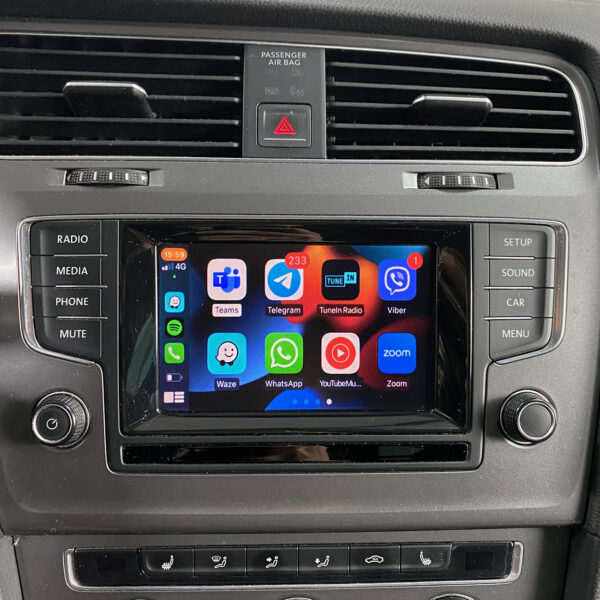
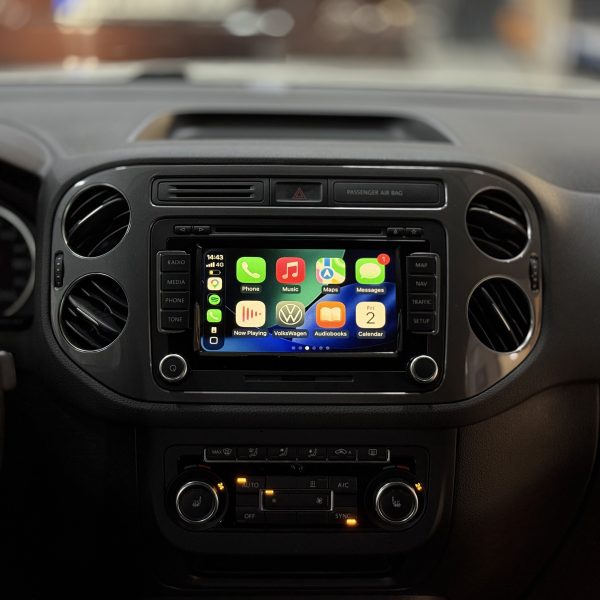
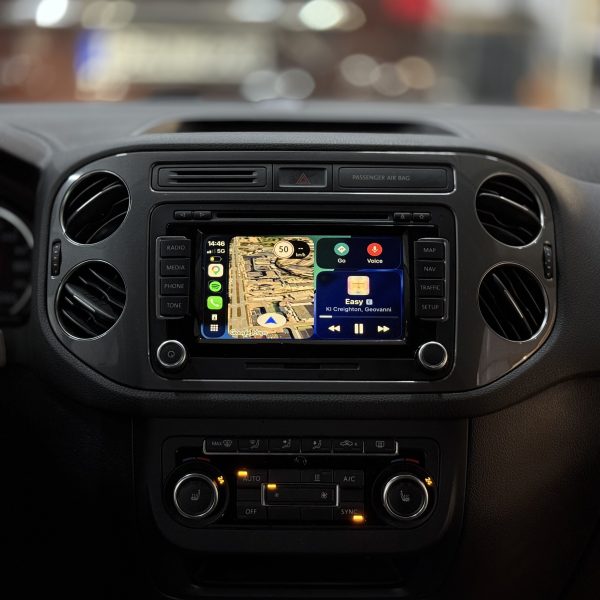
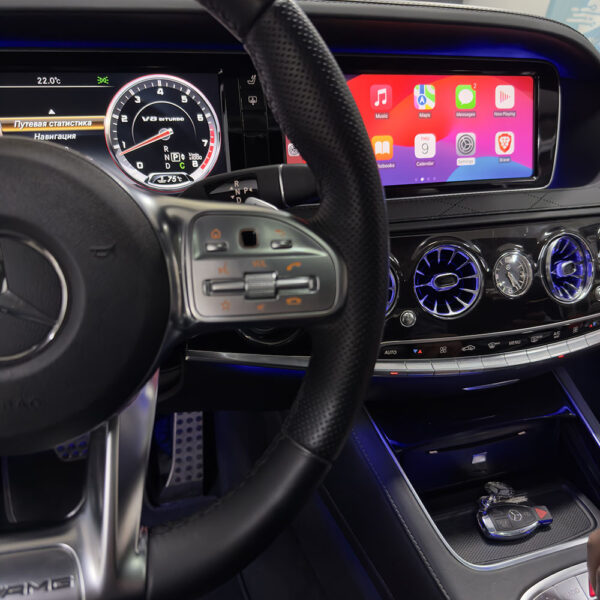

Atsauksmes
There are no reviews yet